
Updates Jan 22, 2026, 07:00 (UTC+3)
January 22, 2026 (Thu) Update Details
Hello, Adventurers.
Here are the updates made to Black Desert on January 22, 2026.
(Patch size: approx. 1.16 GB)
- Please note that the update for Steam may be larger than the size listed above.
※ Please read below for details.
Event
- Event 1. Olvia Academy Open with Academy Passes
- Event Period : Jan 22, 2026 (Thu) after maintenance - Apr 16, 2026 (Thu) before maintenance
- Event 2. Olvia Academy Enrollment Challenge
- Event Period : Jan 22, 2026 (Thu) after maintenance - Feb 5, 2026 (Thu) before maintenance
- Event 3. Journey with Pearl's Blessings
- Event Period : Jan 22, 2026 (Thu) after maintenance - Feb 12, 2026 (Thu) before maintenance
- Event 4. Get Ornette/Odore's Essence Faster!
- Event Period : Jan 22, 2026 (Thu) after maintenance - Feb 4, 2026 (Wed) 23:59
- Event 5. Snowboard Showdown Hot Time
- Event Period : Jan 22, 2026 (Thu) after maintenance - Feb 5, 2026 (Thu) before maintenance
MAJOR UPDATES - Olvia Academy
 First, we would like to thank all our Adventurers who have been waiting for the Olvia Academy.
The Olvia Academy was designed to turn the "uncertainty" felt by new Adventurers into "confidence" as they navigate the vast world of Black Desert. Alongside Justin Bartali, our goal is to help you settle into the world by providing useful rewards as you overcome each challenge.
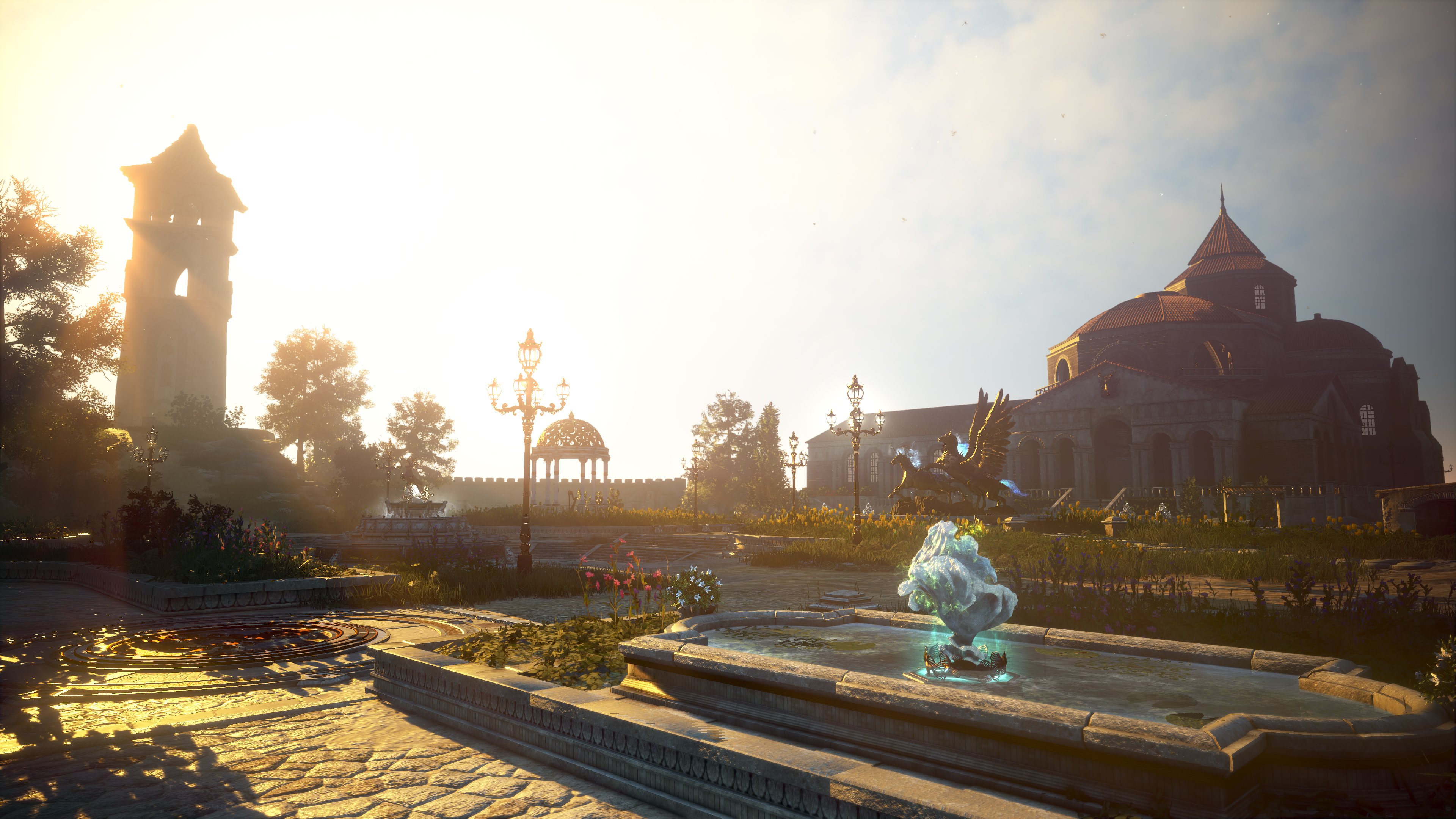
We hope the beautiful Olvia campus becomes a place where both new and veteran Adventurers can build precious memories together.
"Olvium, Frontia!"
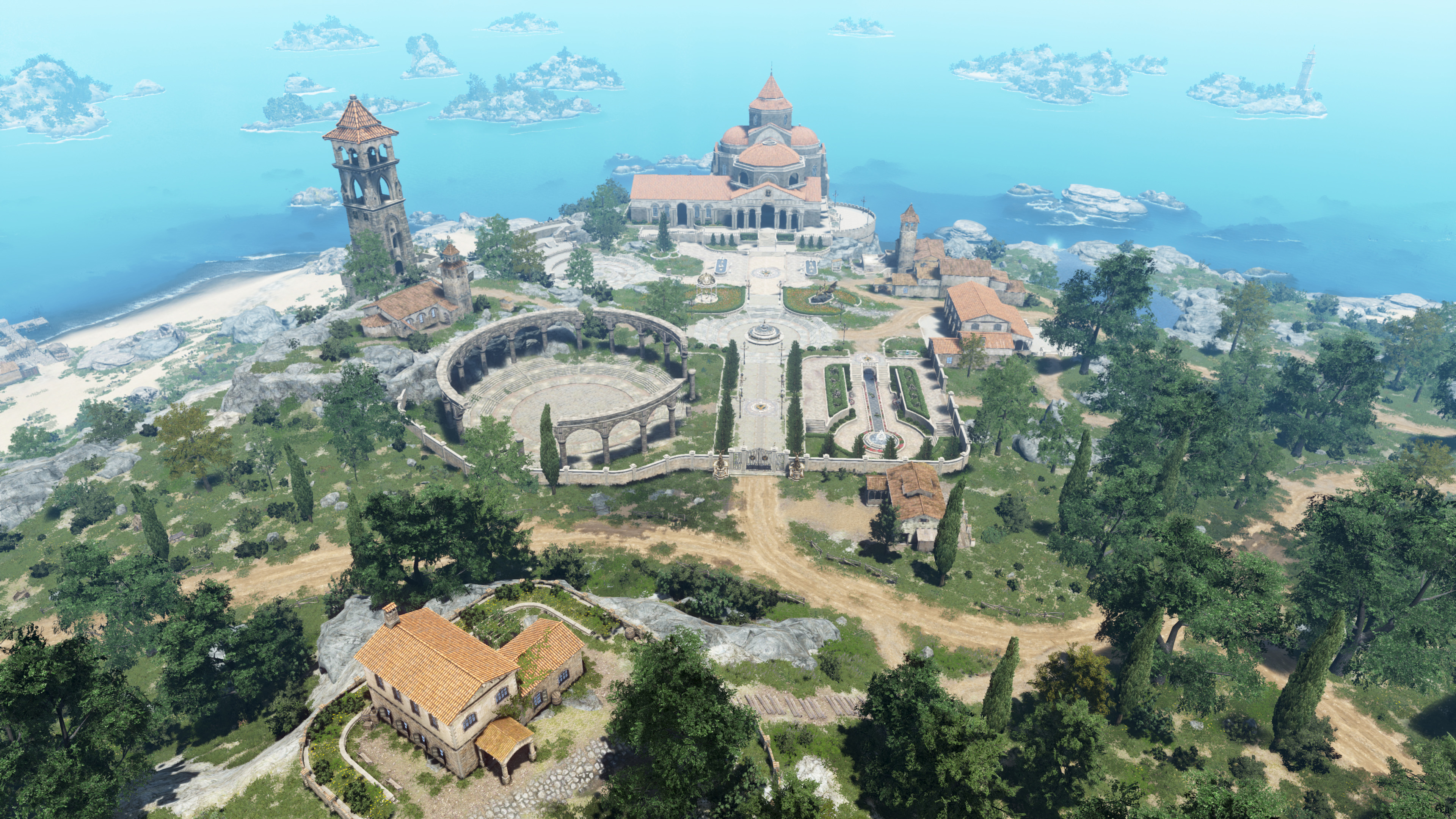
- The Olvia Academy, championed by Justin Bartali to help new adventurers take flight, has officially opened!
Class 1 Term
- Olvia Academy is now accepting applications for its first class of students as outlined below.
| Class 1 Term |
|
Jan 22, 2026 (Thu) after maintenance - Apr 16, 2026 (Thu) before maintenance |
How to Enroll
- If you log in with a Lv. 60+ character, you’ll see the Olvia Academy emblem on the left side of your minimap. Press it for enrollment instructions.
- Upon enrollment, you'll automatically join the "Lunar Halo Inn" chat group, a haven of helpful adventurers.
- You can change your chat group via ESC - Community - Chat Group.
- Upon enrollment, you'll automatically join the "Lunar Halo Inn" chat group, a haven of helpful adventurers.
| Enrollment Steps | |
|
① Log in with any Lv. 60+ character in your Family.
② Press the  Olvia Academy emblem to the left of the minimap to activate navigation. Olvia Academy emblem to the left of the minimap to activate navigation.③ Make sure the "General" quest type is active. |
Enrollment Gift
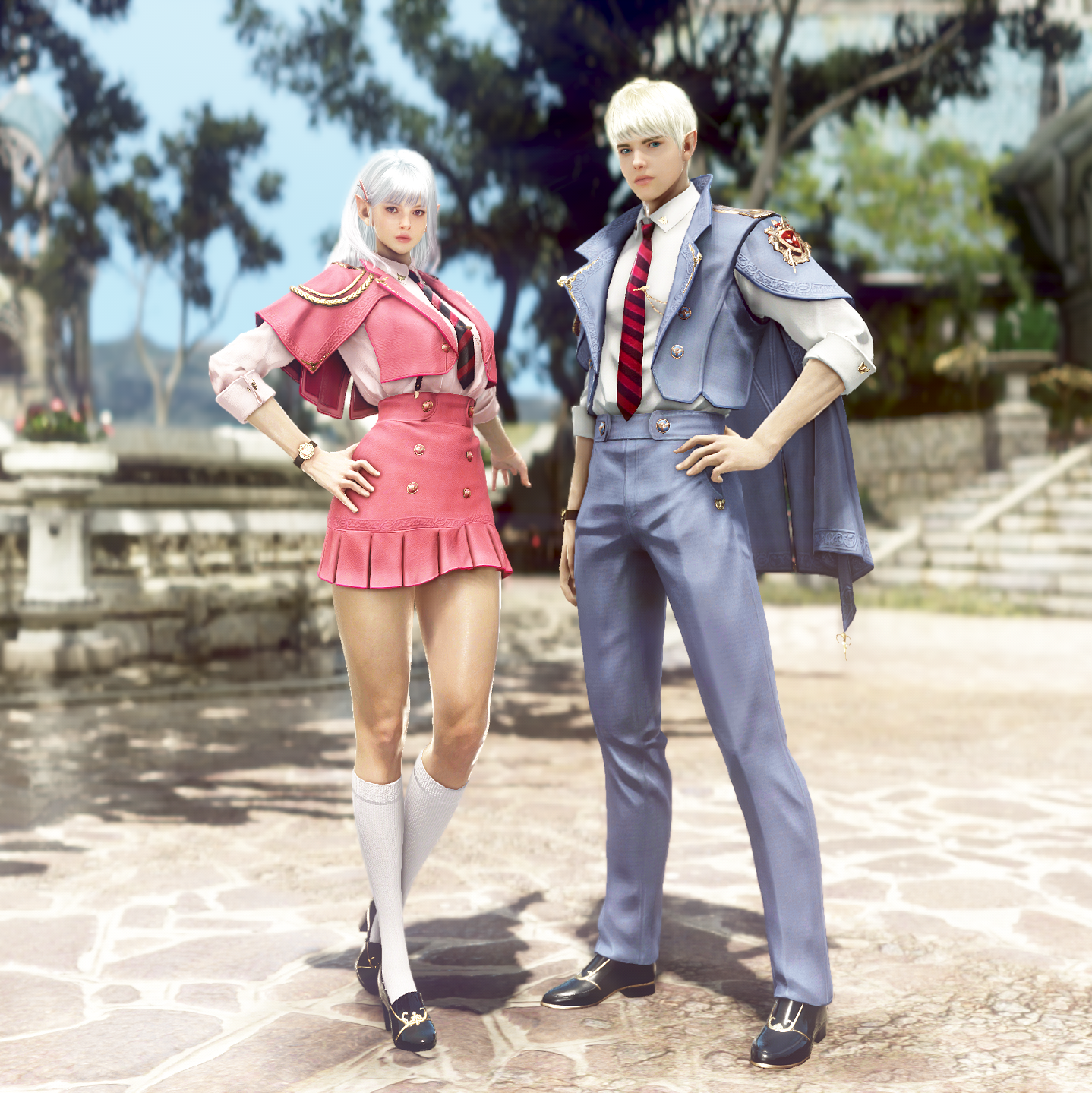
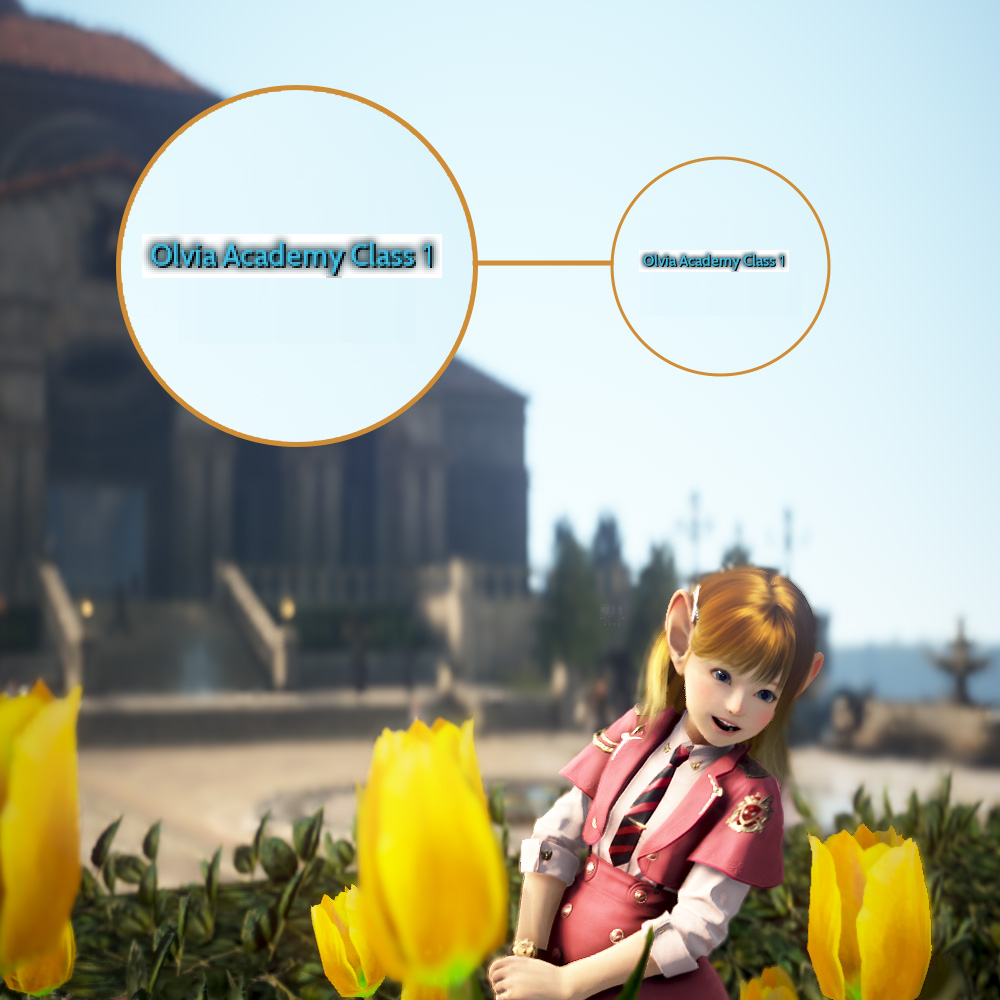
- By completing the enrollment quest, you'll receive the official uniform (Academia Outfit) and a special title.
| Academia Outfit | Title [Olvia Academy Class 1] |
 |
 |
Course Structure
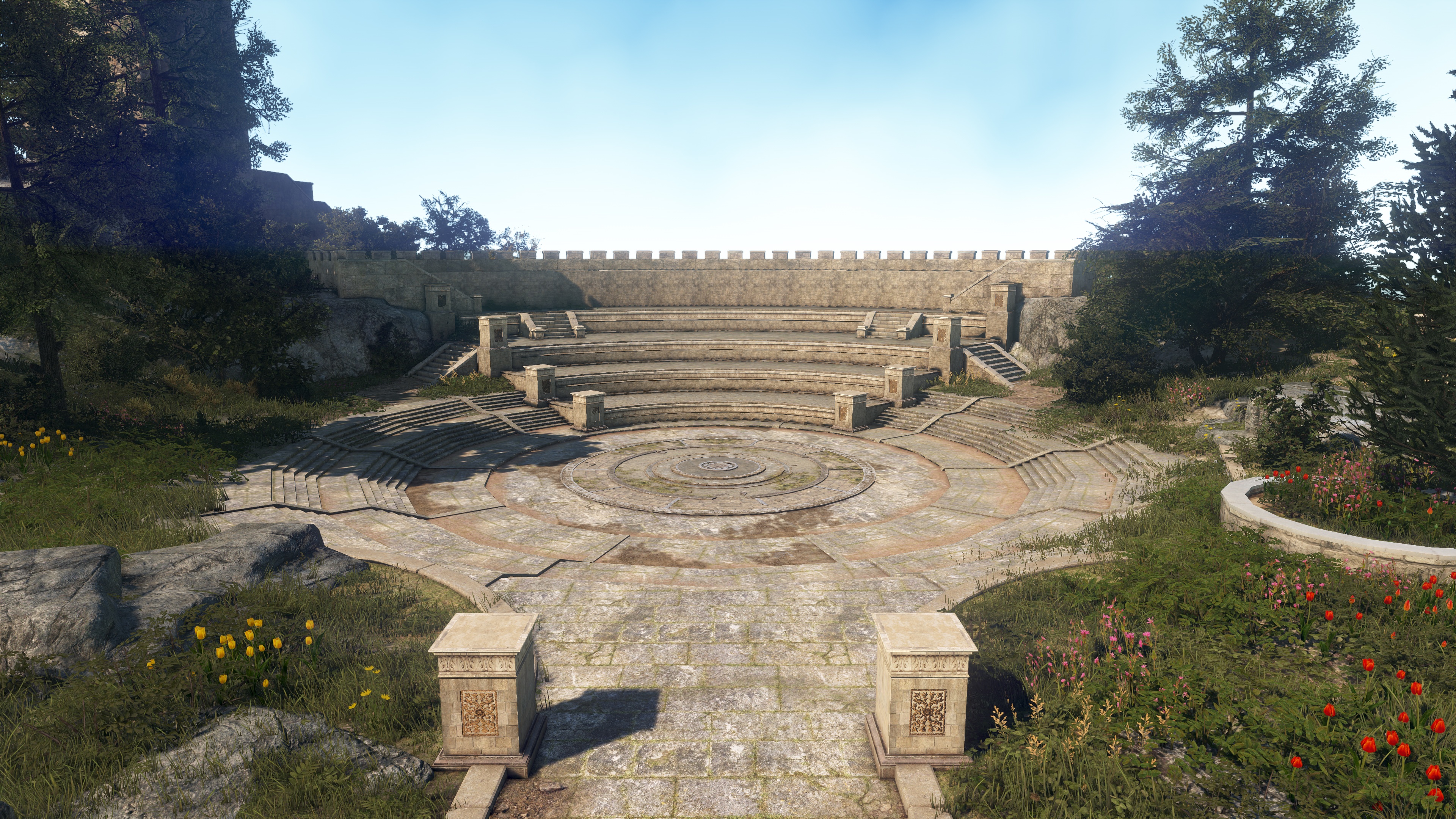
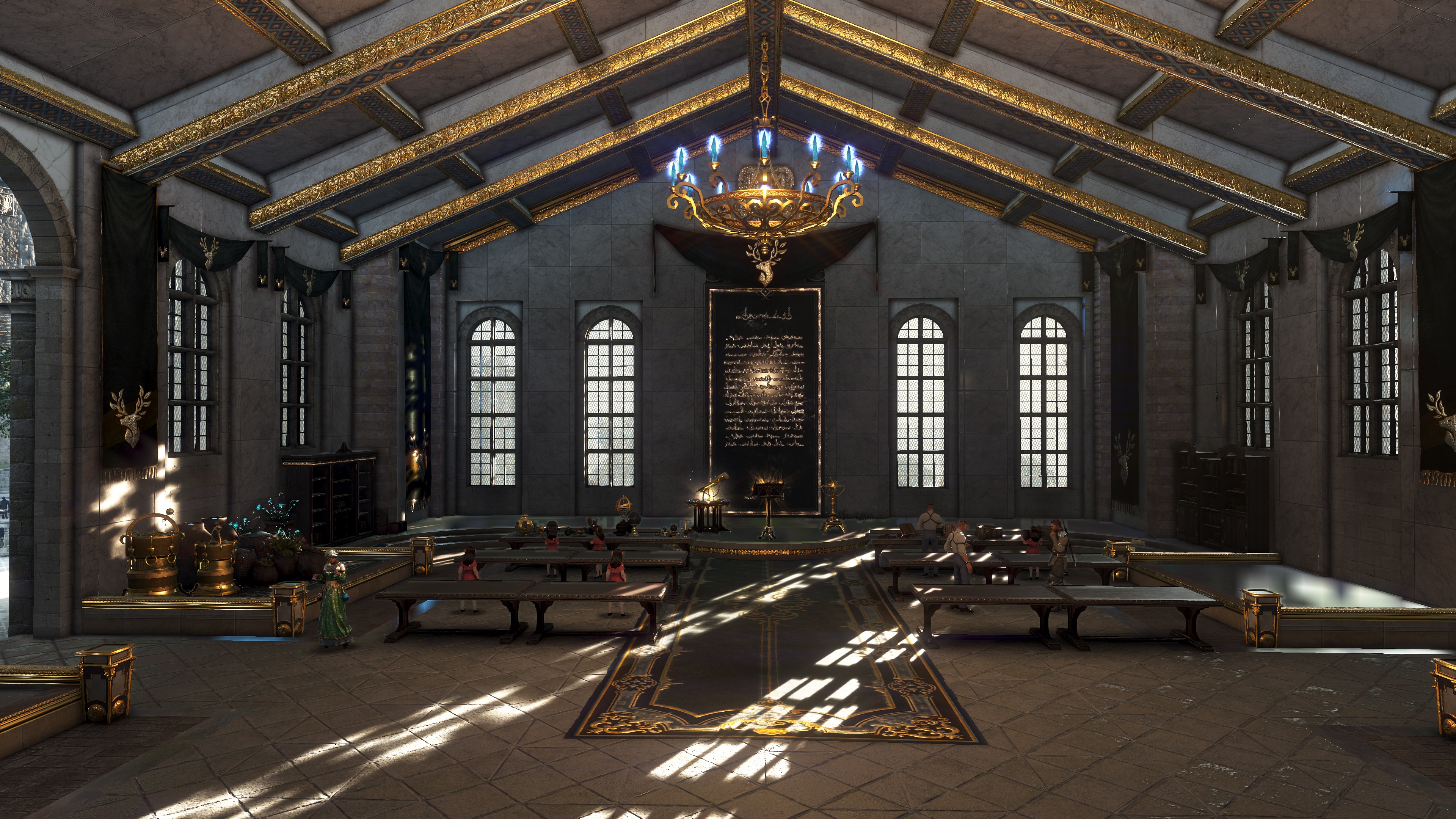
- Olvia Academy’s curriculum includes combat and various life skill courses.
| Curriculum | |
| Combat Course | Life Skill Course |
 |
 |
[Combat Course TIP!]
If you start the course at Lv. 60 with 0.00% EXP, you'll obtain enough Combat EXP to reach Lv. 61 by the time you complete the course.
If you start the course at Lv. 60 with 0.00% EXP, you'll obtain enough Combat EXP to reach Lv. 61 by the time you complete the course.
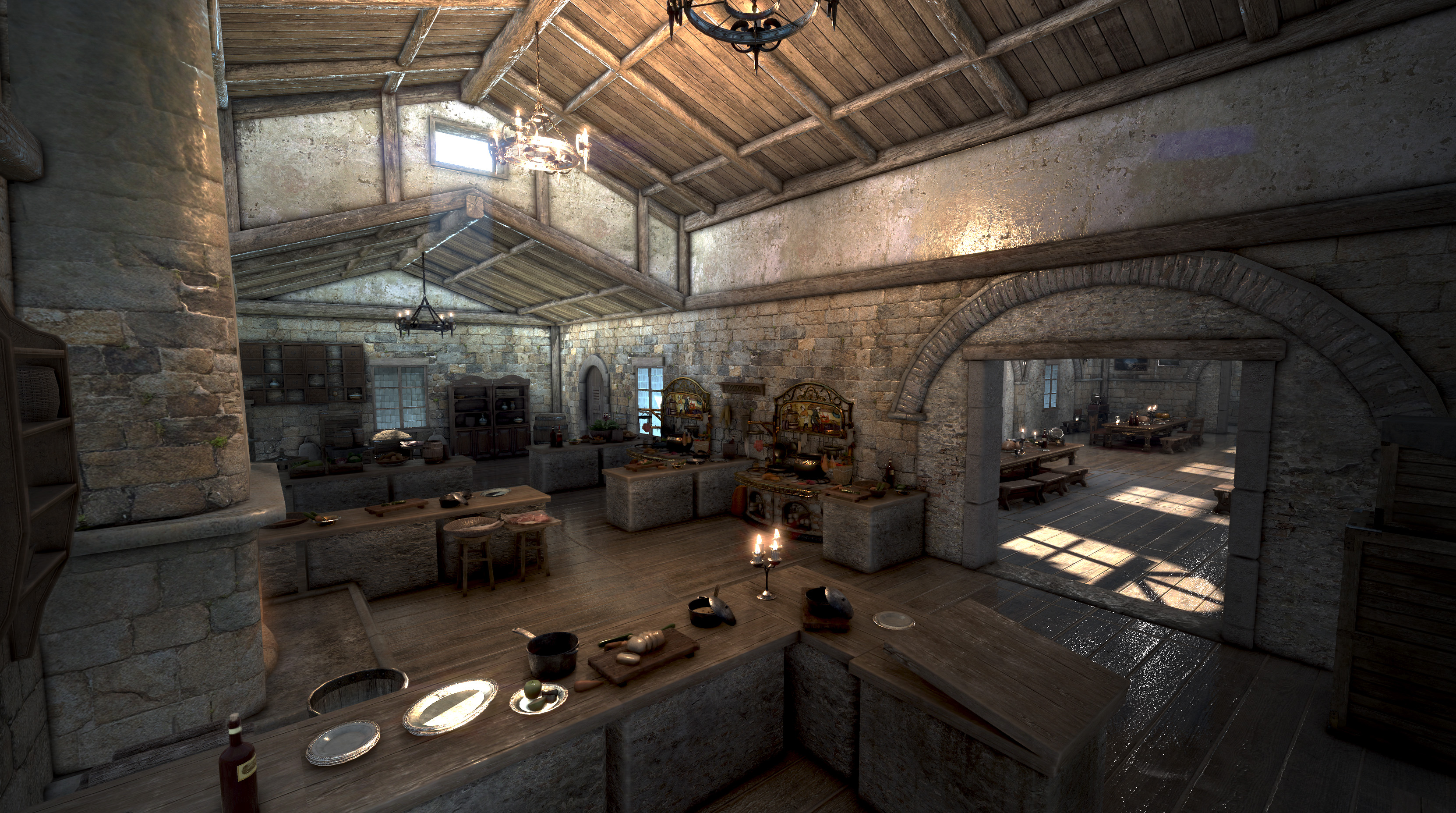
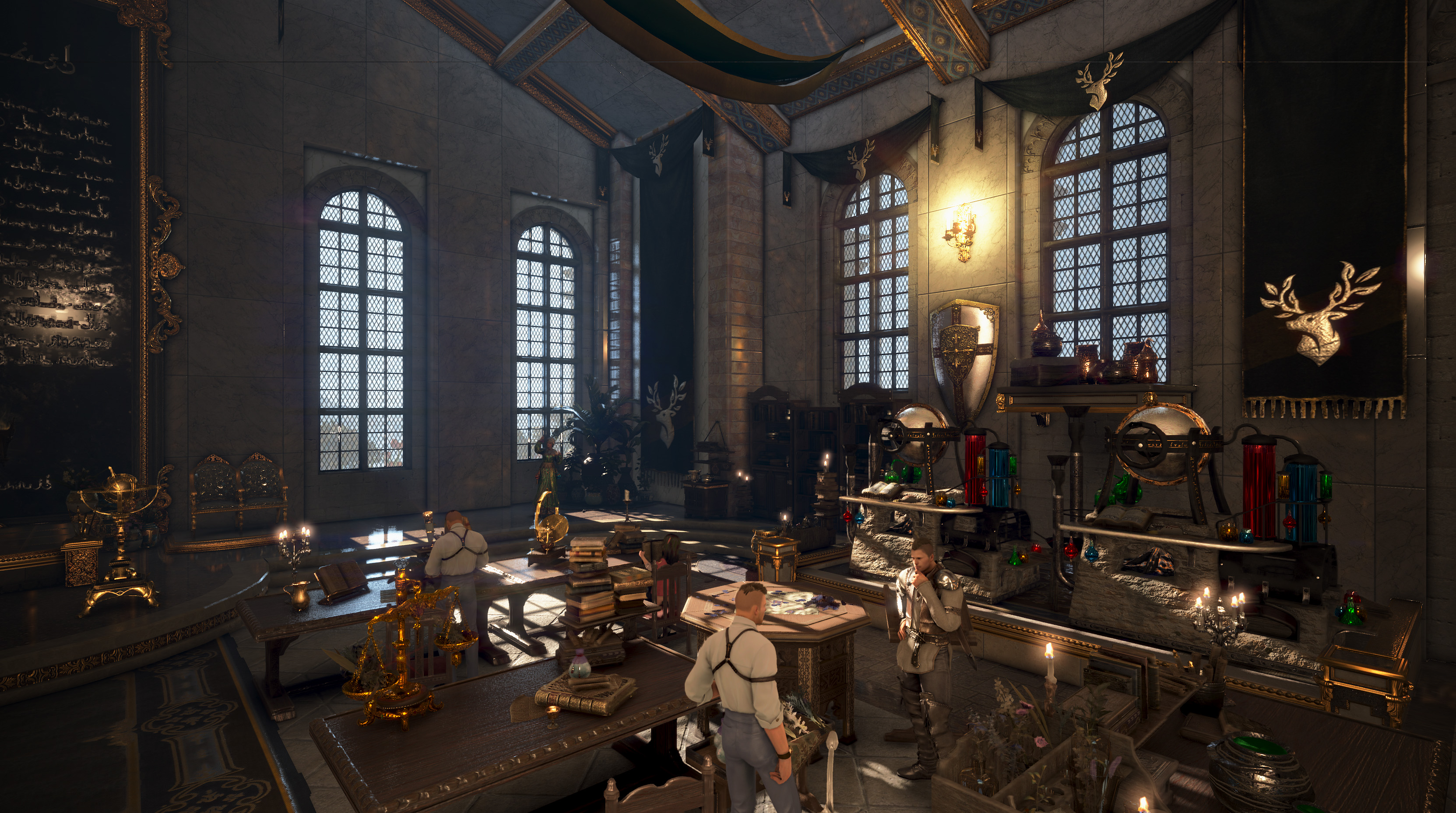
| Share Cooking Utensils & Kitchen | Shared Alchemy Tools & Lab |
 |
 |
[Life Skill Course TIP!]
Olvia Academy students can use the shared Cooking and Alchemy Tools already installed at the Academy—no need to set these up in a residence.
- The Academy’s shared tools have unlimited durability and can be used by multiple adventurers, but crafting will take longer than normal utensils/tools.
Olvia Academy students can use the shared Cooking and Alchemy Tools already installed at the Academy—no need to set these up in a residence.
- The Academy’s shared tools have unlimited durability and can be used by multiple adventurers, but crafting will take longer than normal utensils/tools.
Olvia Academy UI
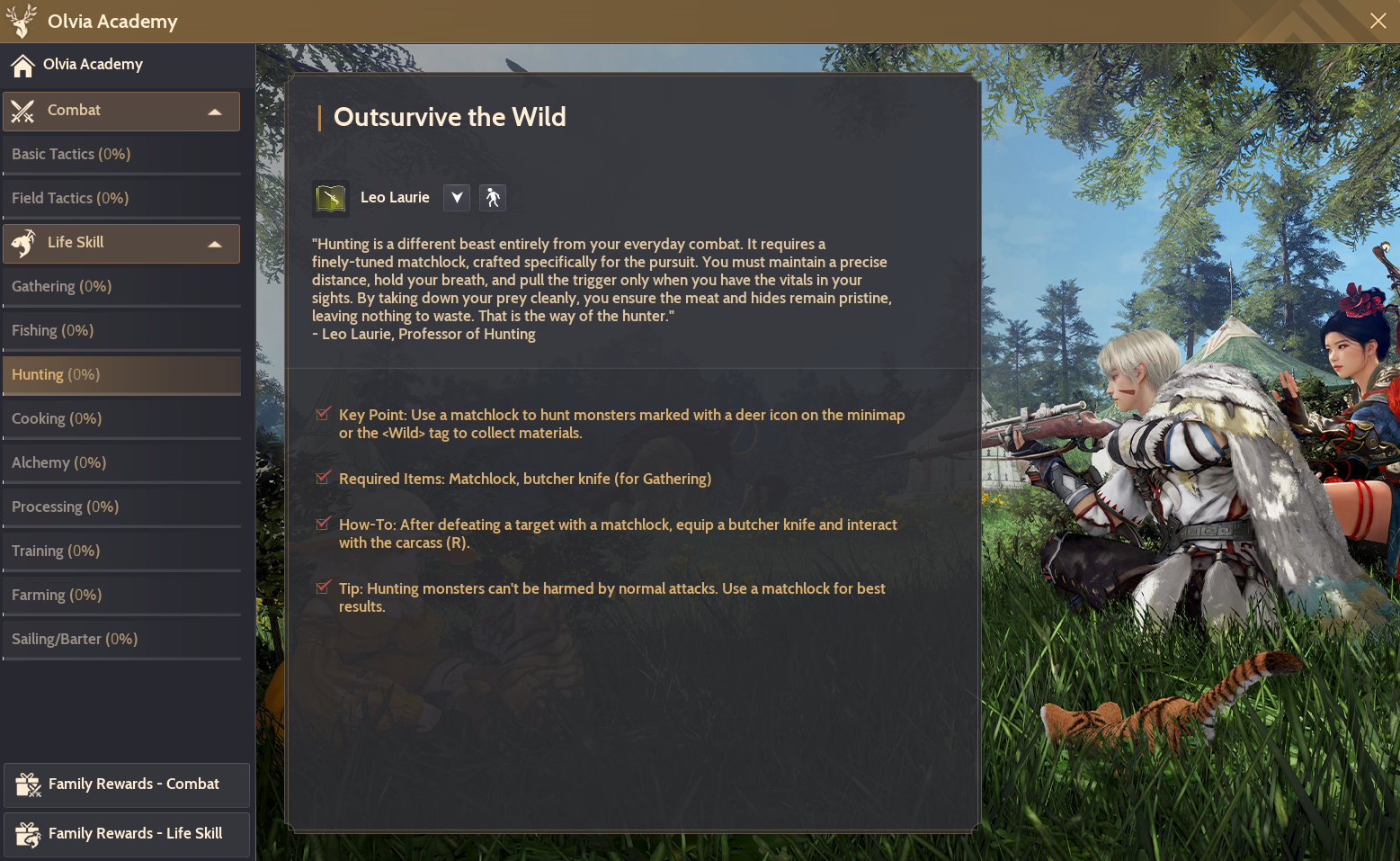
- You can track your course progress at any time by pressing the "
 Olvia Academy button" at the top right of the screen.
- Select a course you haven't started yet to see introductory remarks from your professor and an overview of the course.
-
- Active courses display your overall progress, completed objectives, and current rewards.
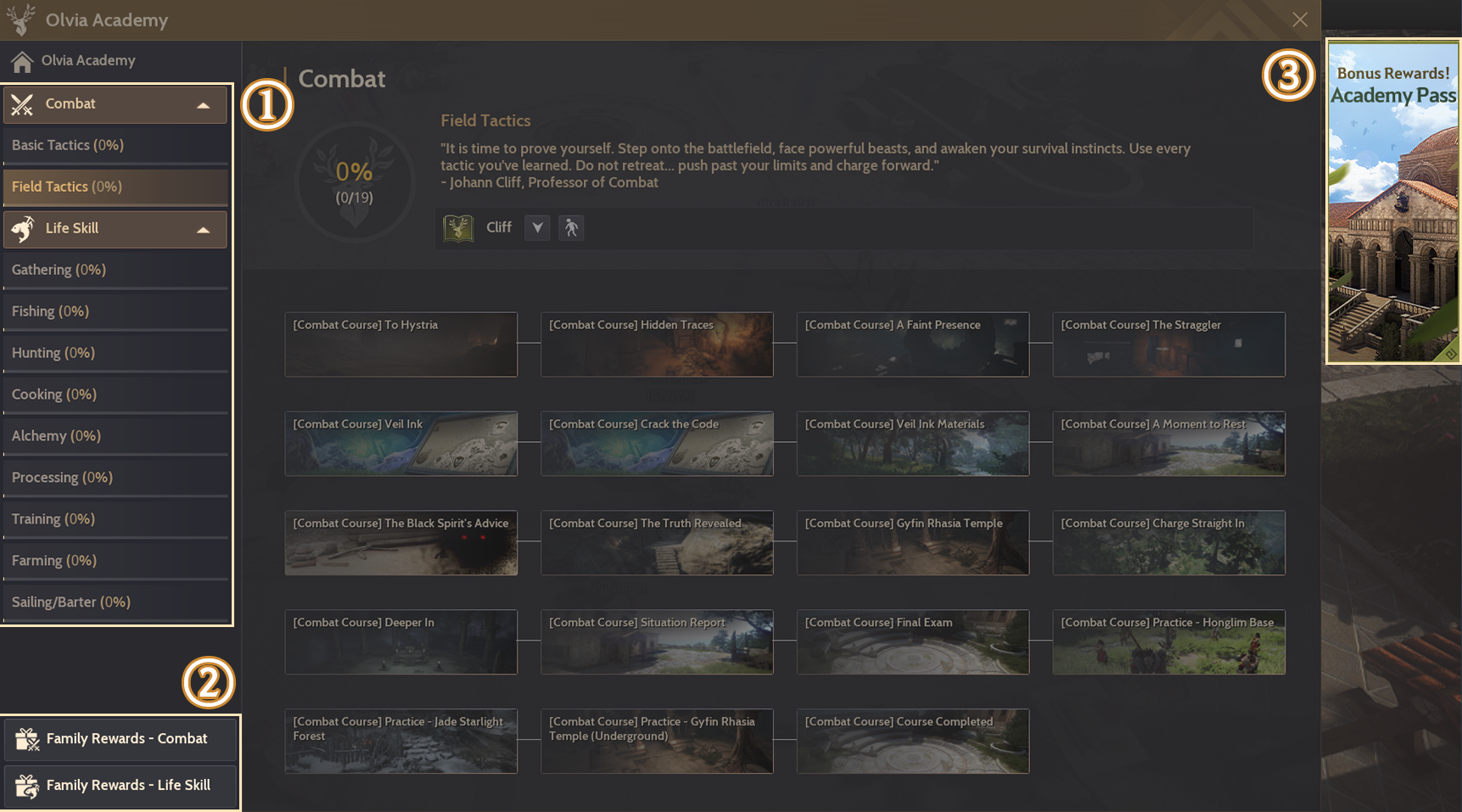
① Check total course progress
② Claim Family Rewards as you advance
③ Claim bonus rewards with the Academy Pass
② Claim Family Rewards as you advance
③ Claim bonus rewards with the Academy Pass
Major Rewards
- By fully completing both Combat and Life Skill courses, you’ll receive the following Family Rewards:
|
Combat Course Rewards
Complete the course to obtain enhancement materials and powerful gear.
|
|
 Choose Your PEN (V) Blackstar Weapon Box
*Open to select 1 Main/Awakening/Sub-weapon (cannot be registered on the Central Market) |
 Darkstar Black Stone
*Used for guaranteed PEN (V) Blackstar Weapon enhancement. Can be used on tradable Blackstar weapons. *Enhancing with this item resets the Ancient Anvil (Agris Essence) stats. |
|
Choose Your TET (IV) Blackstar Weapon Box
*Open to select 1 Main/Awakening/Sub-weapon (cannot be registered on the Central Market)
|
 Obsidian Hammer
*Protects level drop for PEN (V) Blackstar Weapon attempts |
  Advice of Valks (+250), Patrigio's Pocket Watch, and more
|
|
 Total: Cron Stone x6,000
|
|
|
Life Skill Course Rewards
Complete courses to obtain Life EXP and Life Skill items.
|
|
|
[Gathering/Fishing/Hunting/Cooking/Alchemy/Processing]
Complete quests: Reach Artisan 1 Claim general pass rewards: Reach Artisan 5 Claim bonus pass rewards: Reach Master 1 |
[Training/Farming/Sailing/Barter]
Complete quests: Reach Skilled 1 Claim general pass rewards: Reach Skilled 5 Claim bonus pass rewards: Professional 1 |
        Blue grade TRI (III) Life Clothes, by Life Skill
|
     Blue grade TRI (III) Life Tools, by life Skill
|
 Concentrated Magical Black Stone
|
 Concentrated Magical Black Stone
|
|
Total: Cron Stone x9,000
|
|
Monster Zone
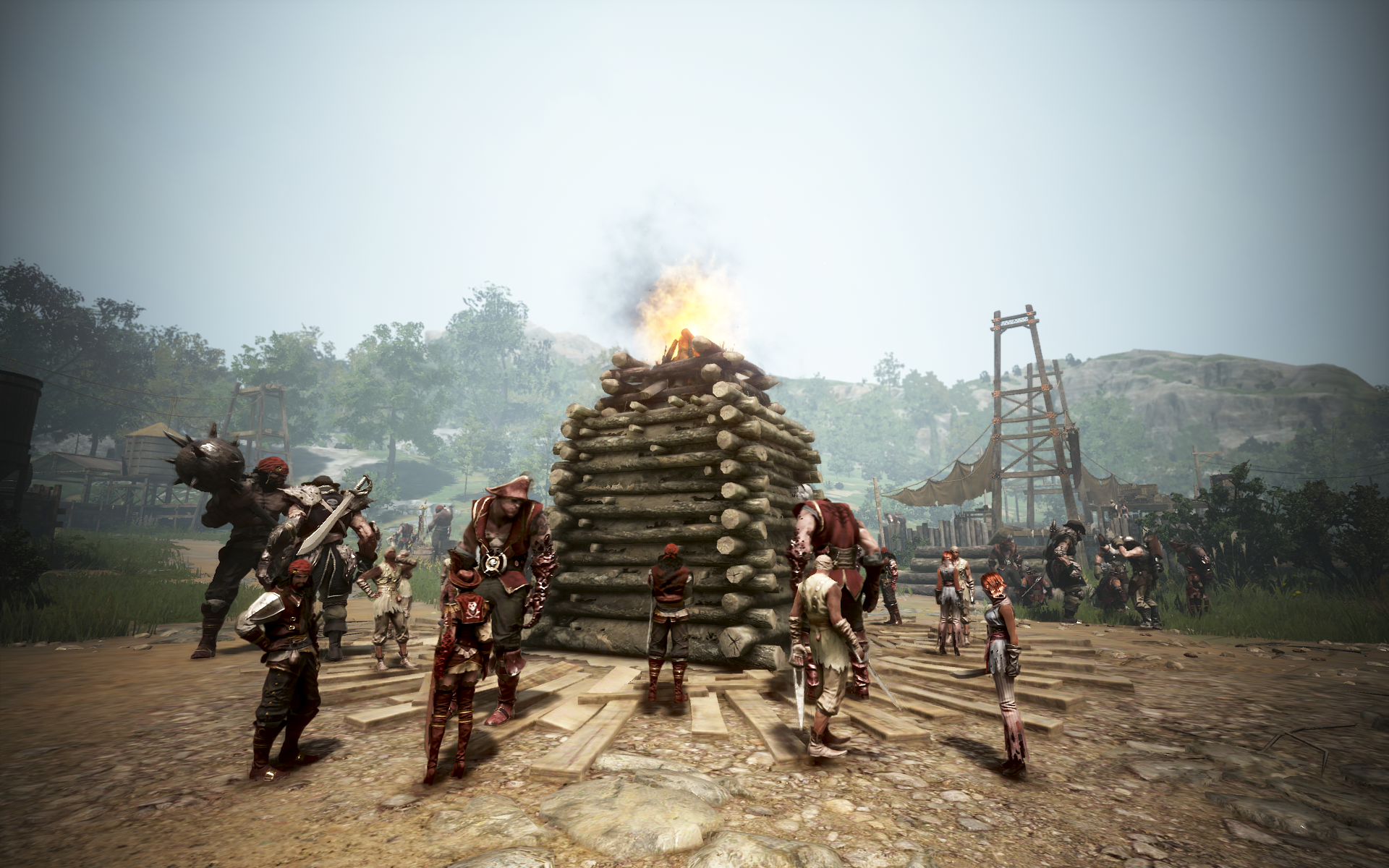
- News of the Academy’s founding with funds from many supporters has attracted the Bumblin’ Buccaneers to the area.
- Defeat these pirates in weekly quests to earn Academy Coin.
- The Bumblin' Buccaneers Monster Zone is a special area for completing weekly quests. Increased item drop rate effects do not apply here, and Agris Fever is not consumed.
|
Academy Monster Zone
Recommended AP: 250 |
 |
|
Major Loot
All types of Kehelle's/Marsh's/Lesha’s Artifact, Traveler’s Map, Caphras Stone, Ancient Spirit Dust, Mass of Pure Magic, Sealed Black Magic Crystal, Resplendently-lit Gemstone |
※ Resplendently-lit Gemstones can be obtained from random quests from the bulletin board, and may be sold to NPC vendors for 5,000,000 silver.
Weekly Quests
- Any enrolled student can accept weekly quests from the Academy's bulletin board or through Cliff.
- Weekly Quests are available from Jan 22 (Thu) after maintenance until Apr 8 (Wed) at 23:59.
- For quests accepted from the bulletin board, the "Recurring" quest type must be activated in the Quest (O) window.
|
Exclusive Weekly Quests
|
|
|
Academy Weekly Quests
Quest NPC: Bulletin Board |
[Academy] [Weekly] Bumblin' Buccaneers Brawl
Quest NPC: Cliff |
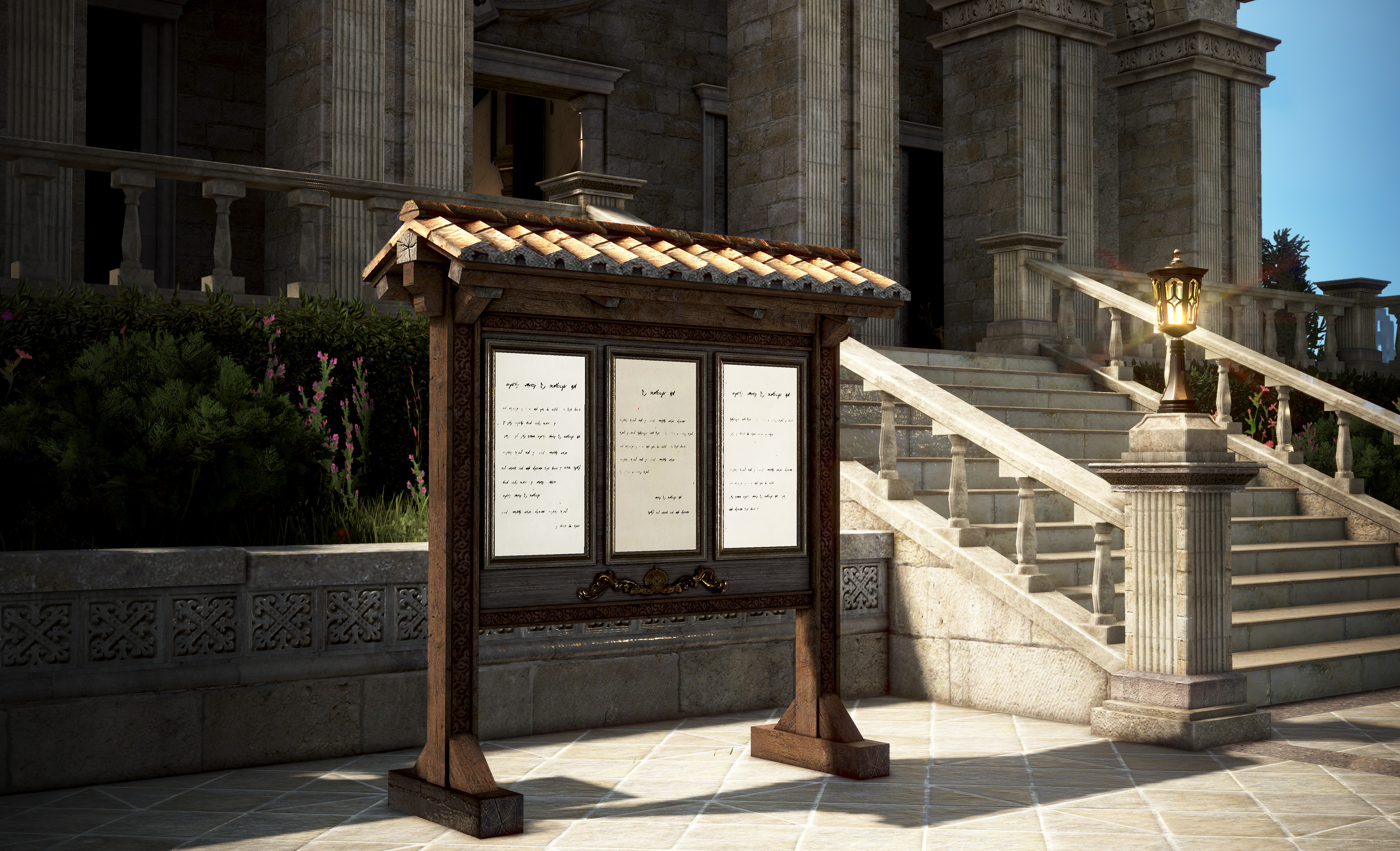 Accept up to 3 random quests (Combat, Life Skill, or Visit) each week from the main bulletin board at the Academy Main Hall. TIP : All enrolled students get the same set of weekly quests each week. Share tips and strategies with your fellow adventurers!
Rewards: Olvia Academy Coin
 |
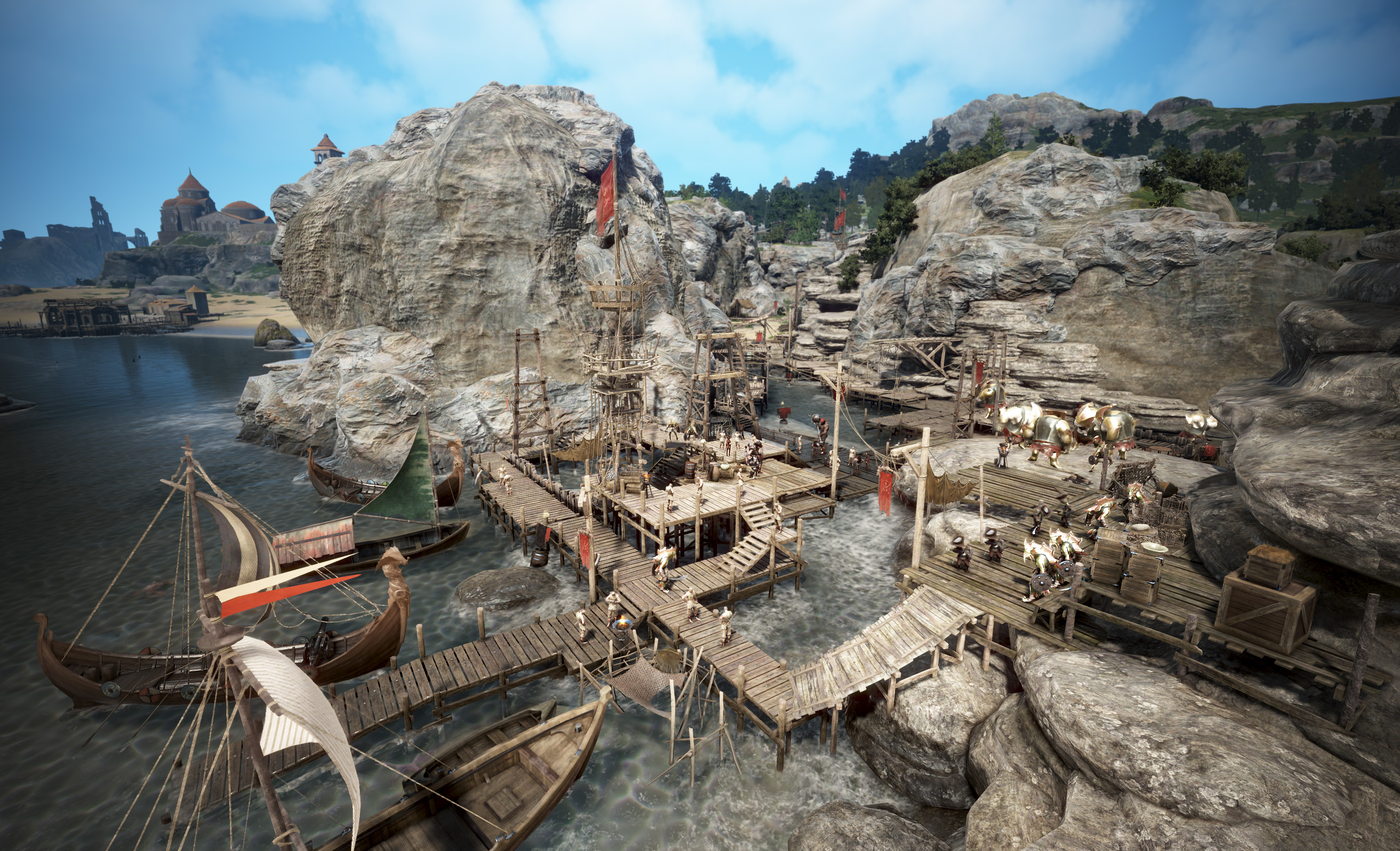 Accept monster zone weekly quests from NPC Cliff. TIP : Cliff's weekly quests also award an extra "Abyssal Echo," allowing you summon bosses for additional rewards. Bosses are tough, so parties (3 recommended) are advised.
Rewards: Olvia Academy Coin
, Abyssal Echo , Combat EXP (+10% at Lv. 60) , Combat EXP (+10% at Lv. 60) |
※ Tip! You can accept and complete up to 3 weekly quests from the quest bulletin board each week. If you have any unresolved weekly quests remaining, you won’t be able to accept more than 3 quests when the quests refresh next week.
Abyssal Echo
- Complete Cliff's weekly quests to obtain the Abyssal Echo, which can be used to summon bosses.
- Playing in a party with other Adventurers is recommended (up to 5 can receive loot).
|
Abyssal Echo
|
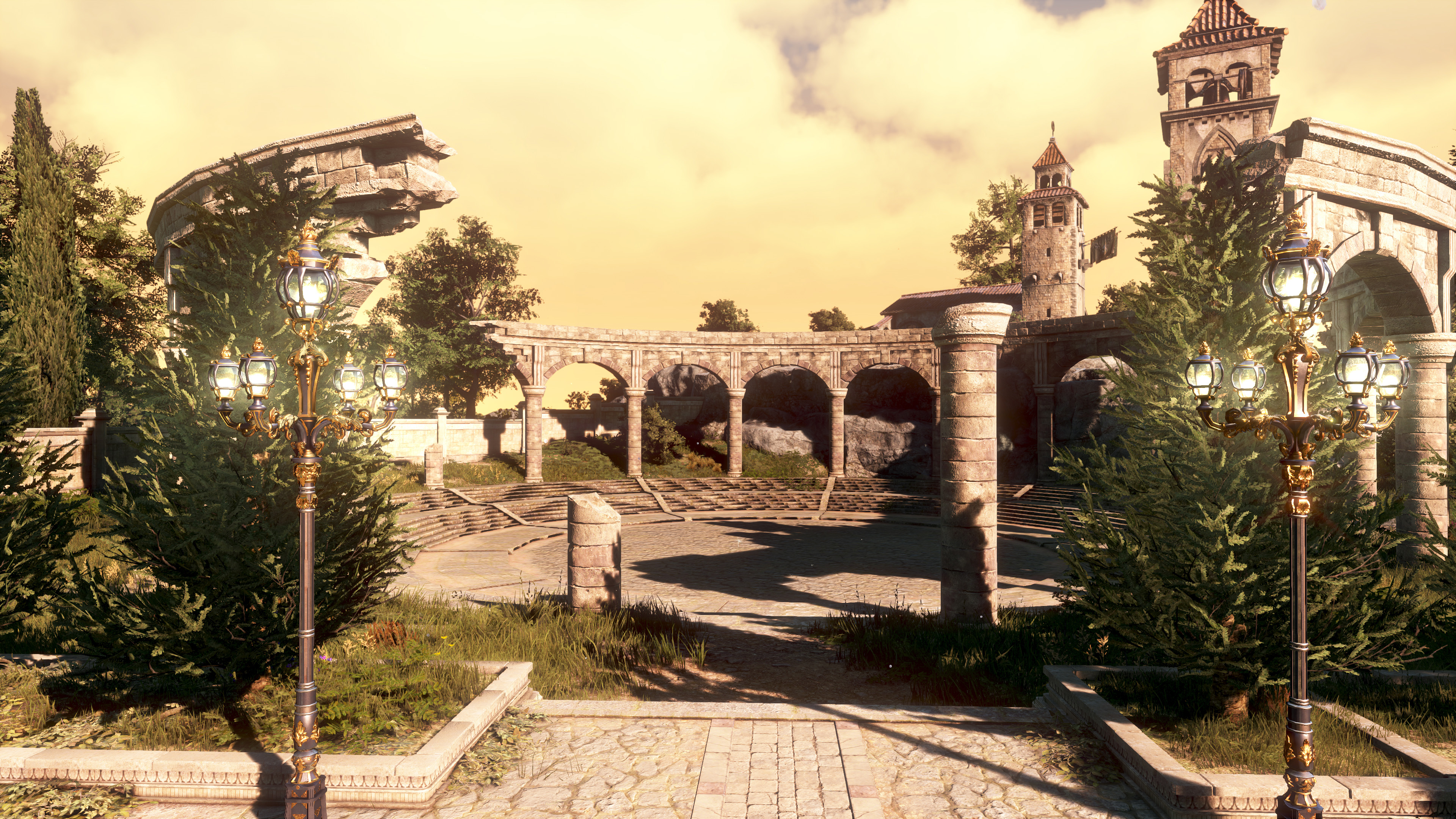 ▲ Location: Olvia Academy Colosseum
|
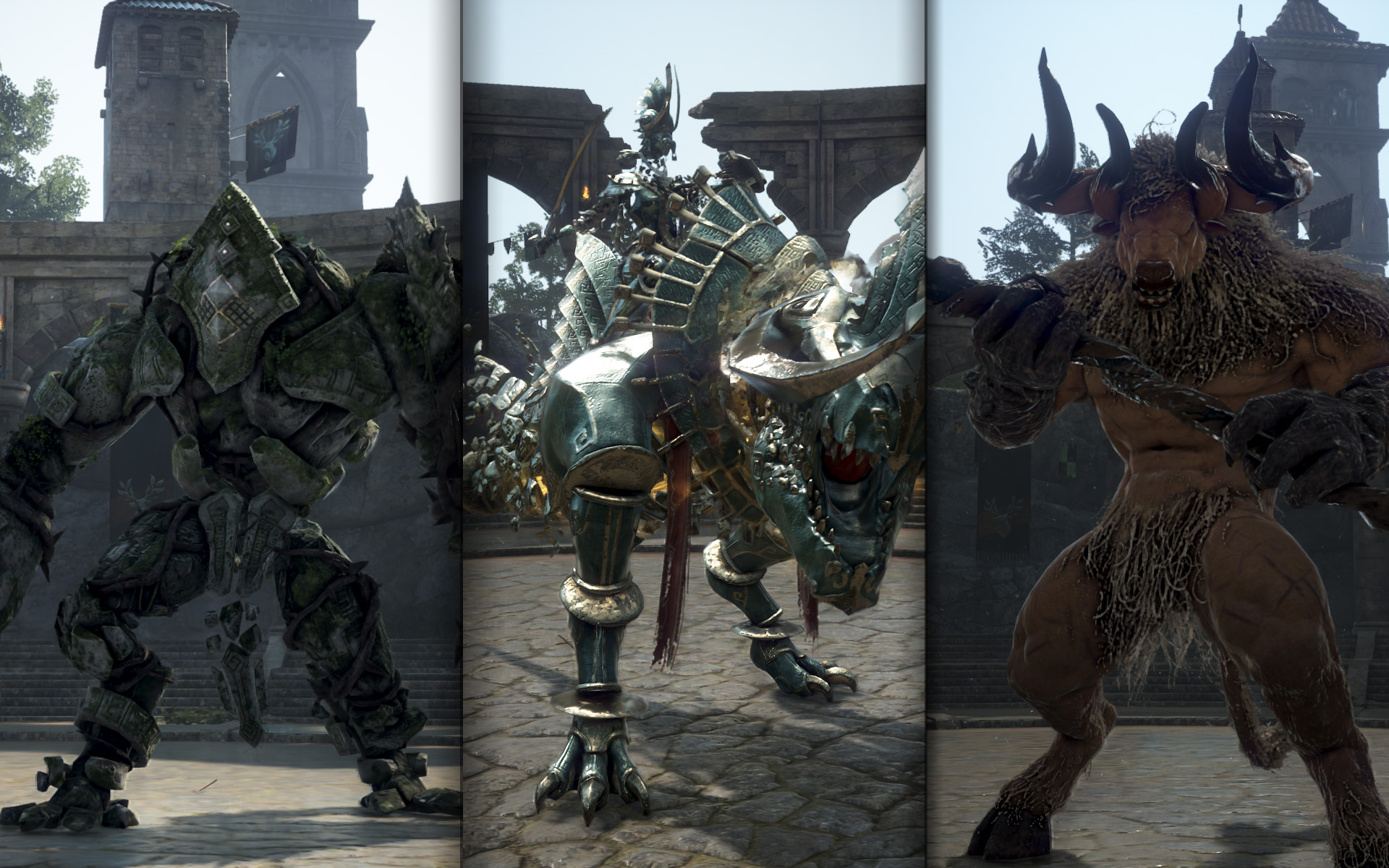 ▲ Summoned Monsters: Olun's Golem, Urugon, Ulutuka
※ Using an Abyssal Echo will summon one of the monsters above at a set probability. Better rewards can be obtained in the following order: Olun's Golem -> Urugon -> Ulutuka.
Major rewards: Gold Bar Box, Advice of Valks (+60 to +100), Caphras Stone Bundle (50-100), Gold Bar 1,000G
※ You can also acquire loot by destroying Golem's Left Arm during the Olun's Golem subjugation. |
Olvia Academy Coin
- Olvia Academy Coins are awarded from courses and weekly quests, and can be found in the Manage Currency UI.
- You can exchange the coins for various items useful in your adventures.
| Exchangeable Items | |||
| Item Name | Amount | Required Coins | Exchange Limit |
 Choose Your Rare Hammer Box
|
1 | 90 | 3 per Family |
|
Obsidian Hammer
|
1 | 90 | 3 per Family |
|
Advice of Valks (+250)
|
1 | 70 | Once per Family |
 Advice of Valks (+200)
|
1 | 60 | Once per Family |
 [Academy] Choose Your Adventurer's Life Starter Box
|
1 | 60 | Once per Family |
 Mythical Censer
|
1 | 50 | 2 per Family |
 Rebellious Spirit Crystal
|
1 | 50 | 2 per Family |
 Cup Crafting Box
|
1 | 40 | 2 per Family |
 Desperate Crystal of Origin
|
1 | 30 | 10 per Family |
 Embers of the Primordial
|
5 | 20 | 5 per Family |
 Embers of Despair
|
10 | 20 | 5 per Family |
 Embers of Frost
|
10 | 20 | 5 per Family |
 Embers of Resonance
|
10 | 20 | 5 per Family |
 Embers of Hongik
|
50 | 20 | 5 per Family |
 Caphras Stone
|
300 | 20 | 10 per Family |
 Essence of Dawn
|
10 | 10 | 10 per Family |
 Sharp Black Crystal Shard
|
50 | 10 | 5 per Family |
 Black Gem
|
100 | 10 | 5 per Family |
 Atanis' Element
|
6 | 10 | 10 per Family |
 Mass of Pure Magic
|
10 | 5 | 10 per Family |
 Old Moon Alchemy Catalyst
|
1 | 1 | Always |
|
Cron Stone
|
1 | 1 | Always |
 Gold Bar 10G
|
3 | 1 | Always |
※ Open the "[Academy] Choose Your Adventurer's Life Starter Box" to select 1 of the following items below.
| Open to select 1 of the following boxes (Select 1 item from a box) |
||
 Choose Your TRI (III) Manos Life Clothes Box
|
 Choose Your TRI (III) Manos Gathering Tool Box
|
 Choose Your TRI (III) Manos Life Tool Box
|
|
TRI (III) Manos Trainer's Clothes
TRI (III) Manos Hunter's Clothes TRI (III) Manos Sailor's Clothes TRI (III) Manos Cook's Clothes TRI (III) Manos Alchemist's Clothes TRI (III) Manos Fisher's Clothes TRI (III) Manos Gatherer's Clothes TRI (III) Manos Craftsman's Clothes |
TRI (III) Manos Hoe TRI (III) Manos Lumbering Axe TRI (III) Manos Fluid Collector TRI (III) Manos Tanning Knife TRI (III) Manos Butcher Knife TRI (III) Manos Pickaxe |
TRI (III) Manos Sailing Log TRI (III) Manos Riding Crop TRI (III) Manos Ladle TRI (III) Manos Fishing Chair TRI (III) Manos Hunting Bag TRI (III) Manos Flask TRI (III) Manos Processing Stone |
- Added an abyssal well connecting to Olvia Academy.
- When you learn the "Olvia Academy" geographic knowledge, the Abyssal Well UI button to teleport to Olvia Academy from other regions will be activated.
- If you’re unable to use the Abyssal Well to move to Olvia Academy from another area, you can gain the "Olvia Academy" knowledge by interacting with the following NPCs and objects:
- Wishing Fountain: Located at the center of Olvia Academy
- Justin Bartali: Found on the 2nd floor of the Olvia Academy Main Hall
※ The Abyssal Well can be used after completing the quest "[The Magnus] In Return for Your Help.
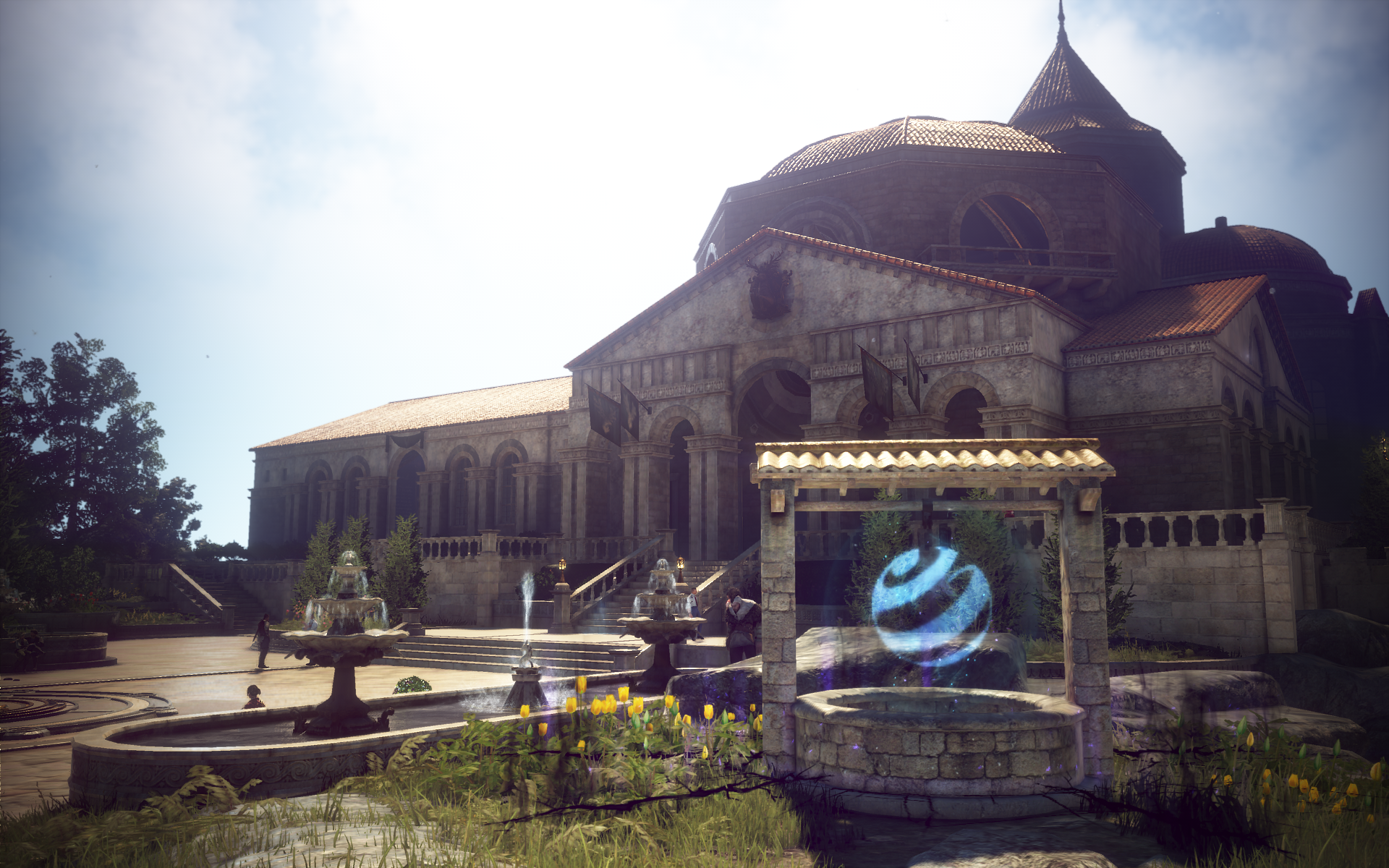
- Added the Olvia Academy Dormitory for the newly-enrolled students.
- A dedicated dormitory for Academy students has been added in Olvia. This residence features spacious ceilings and a cozy fireplace.
- It can be used as your home and storage (Requires 2 Contribution Points).
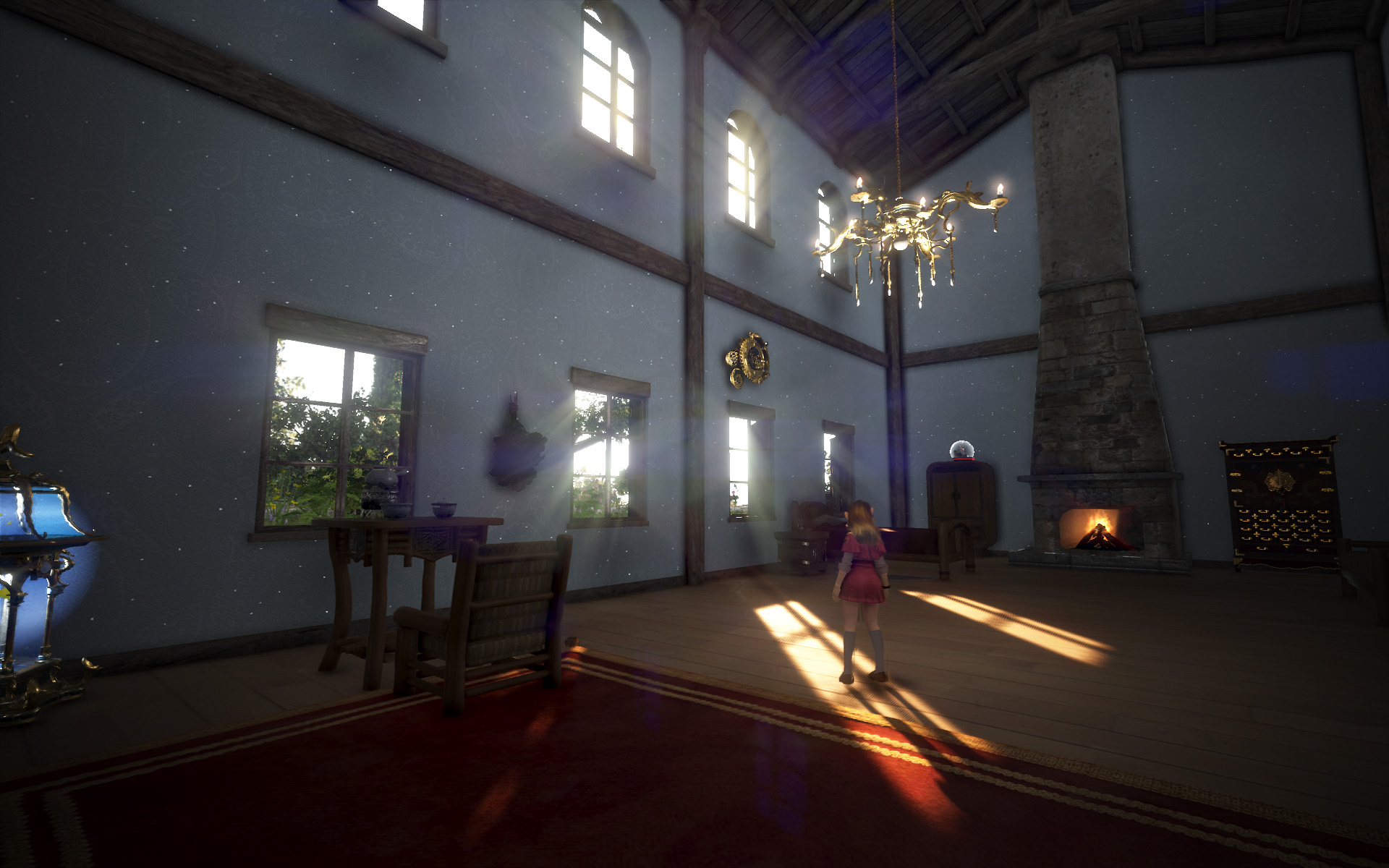
※ Notes
- Upon enrolling, you’ll receive a title based on your class (e.g., "Olvia Academy Class 1").
- Quest progress and Family Rewards (Combat/Life Skill) can only be obtained once per Family per class; duplicate rewards and titles are not granted.
- You can enroll for a new class in future cycles to experience Academy quests or the pass again.
- Graduation is only available after completing all courses and during the specified period.
- Before graduating, use weekly quests to earn and exchange Academy Coins for items.
- After each class cycle ends, all progress for Olvia Academy courses and the Academy Passes will be reset.
- Family Rewards - Combat/Life will not reset when the class ends.
Olvia Academy Commemorative Buff
To celebrate the opening of Olvia Academy, the Olvia (Growth) Server buffs will be applied to all servers during the Olvia Academy Class 1 period.
1. Combat EXP +200%, Skill EXP +100%
2. Bonus Contribution Point EXP based on current CP
- CP 0–99: +150% Extra EXP
- CP 100–199: +100% Extra EXP
- CP 200–249: +50% Extra EXP
3. Life EXP +100% (Applies only to Life Skills below Artisan 1)
2. Bonus Contribution Point EXP based on current CP
- CP 0–99: +150% Extra EXP
- CP 100–199: +100% Extra EXP
- CP 200–249: +50% Extra EXP
3. Life EXP +100% (Applies only to Life Skills below Artisan 1)
- [CP] Practice Matchlock - Added Hunting Damage +1,500, and increased its Max Durability from 10 to 100. Changed to now be repairable for Durability. (Enhancement not available.)
- During the Jan 22, 2026 (Thu) maintenance, all orders and listed items for the following items on the Central Market were reset.
- Please refer to the [January 16 (Fri) Central Market Maintenance] notice for the full list of affected items.
NEW & IMPROVEMENTS
CLASS CHANGES
Class Changes
- [Wizard] Controlled Madness - Fixed the issue where the AP Increase description for the skill did not match the actual applied effect and buff icon description.
CONTENTS
We are adding the "Marni's Field Report" feature to help Adventurers track and analyze their combat data. Upon entering Marni's Realm, the system will automatically record your time spent and loot obtained without any additional requirements.
We hope these reports help you optimize your gear settings, rotations, and future choices of monster zones. Additionally, with this update, we have added Ulukita monster zones to Marni's Realm to provide even more private PvE opportunities. We look forward to your feedback.
- Added the Marni's Field Report feature.
- You can open the report window by pressing the icon next to the navigation Icon in the Marni's Realm window.
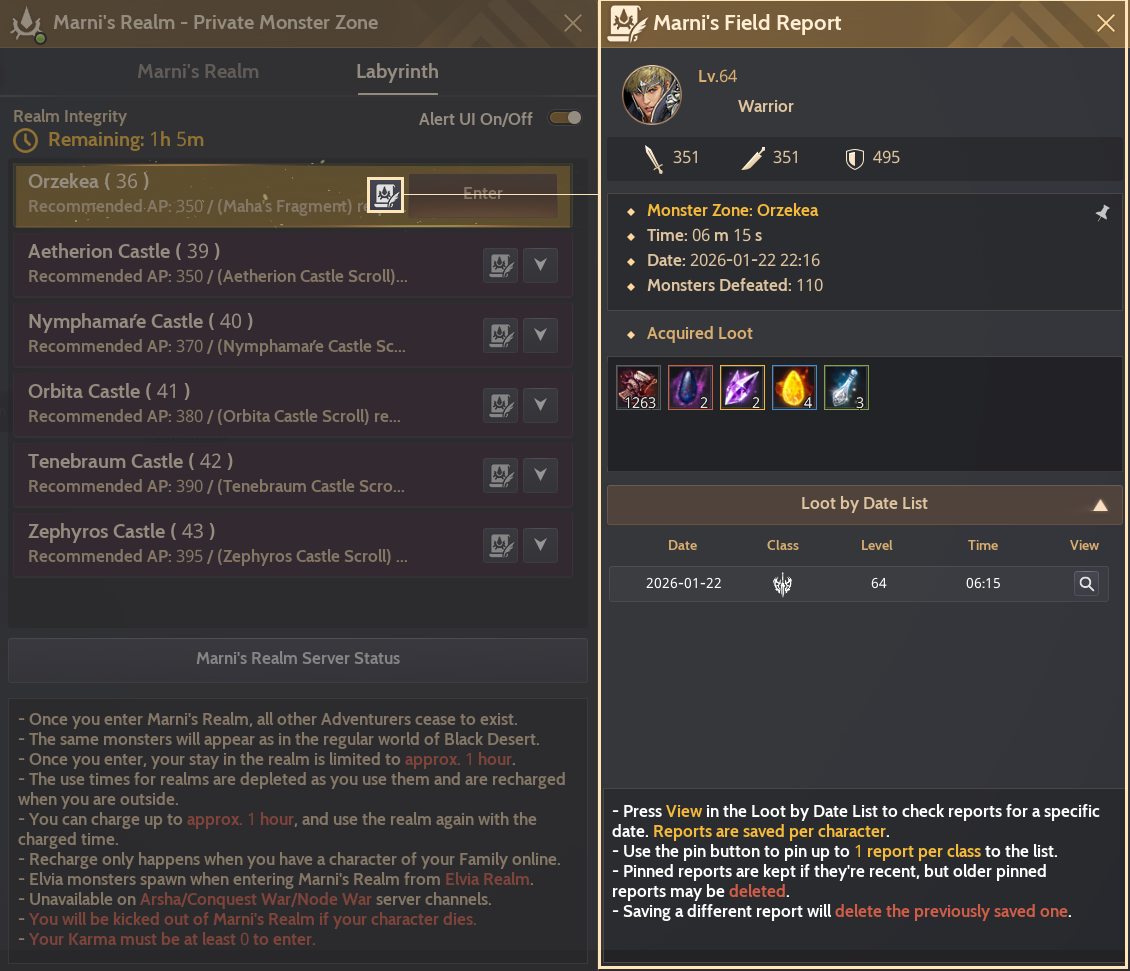
How to Use Marni's Field Report
① Records are saved per character. You can track the character used, monsters defeated, AP/DP stats, and the date for each monster zone.
② In Acquired Loot, junk items are listed first, followed by other loot sorted from highest to lowest grade.
③ Recording starts automatically upon entering Marni's Realm and ends upon exit.
④ After using Marni's Realm, press "View Loot by Date" in Marni's Field Report to view loot obtained by date.
⑤ Use the pin button to pin up to 1 report per class to the list.
⑥ Pinned reports are kept if they're recent, but older pinned reports may be deleted.
⑦ When saving a new report, the previous report will be deleted.
② In Acquired Loot, junk items are listed first, followed by other loot sorted from highest to lowest grade.
③ Recording starts automatically upon entering Marni's Realm and ends upon exit.
④ After using Marni's Realm, press "View Loot by Date" in Marni's Field Report to view loot obtained by date.
⑤ Use the pin button to pin up to 1 report per class to the list.
⑥ Pinned reports are kept if they're recent, but older pinned reports may be deleted.
⑦ When saving a new report, the previous report will be deleted.
※ Records are only saved if you stay for at least 5 minutes and obtain at least 1,000 white grade junk loots.
※ Marni's Realm sessions played before this update will not be displayed in the report.
- Added a UI under the Exit widget so you can check loot obtained in Marni's Realm in real time.

- Updated so the Marni's Realm list window will now remember your last scroll position.
- This resets upon loading a new screen
- Slightly increased the scroll bar width in the Marni's Realm list window.
Ulukita Monster Zones in Marni's Realm
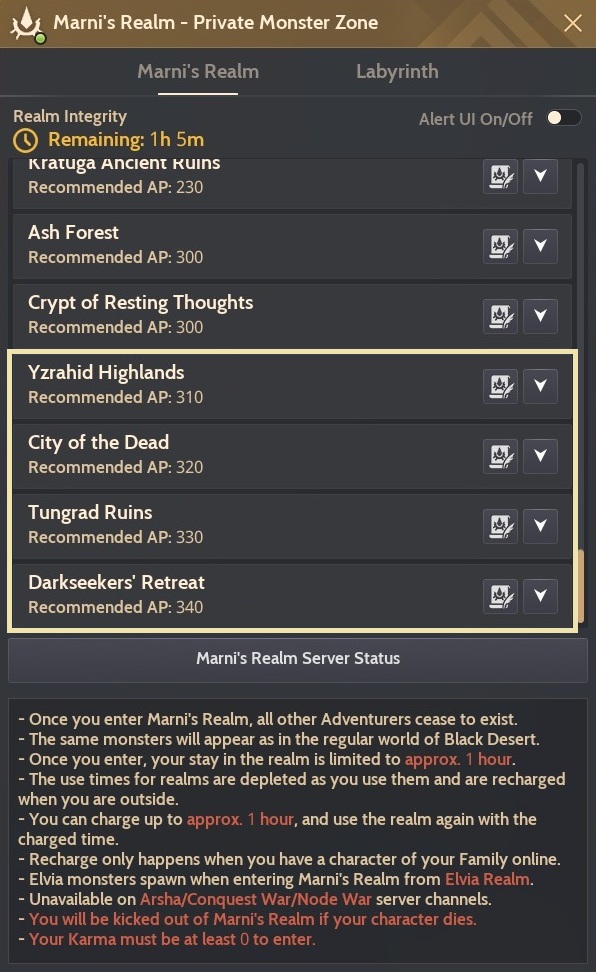
- Added the Ulukita monster zones in Marni's Realm.
- Marni's Realm is now available in the Yzrahid Highlands, City of the Dead, Tungrad Ruins, and Darkseekers' Retreat.
- Accordingly, the #MarnisRealmPrivate tag has been added to the Monster Zone Info for these locations.
- Use the Navigate button in the Marni's Realm UI to find the exact entry point for each zone.
- Marni's Realm is now available in the Yzrahid Highlands, City of the Dead, Tungrad Ruins, and Darkseekers' Retreat.
MONSTER
Highest-Tier Monster Zones & Exclusive Loot
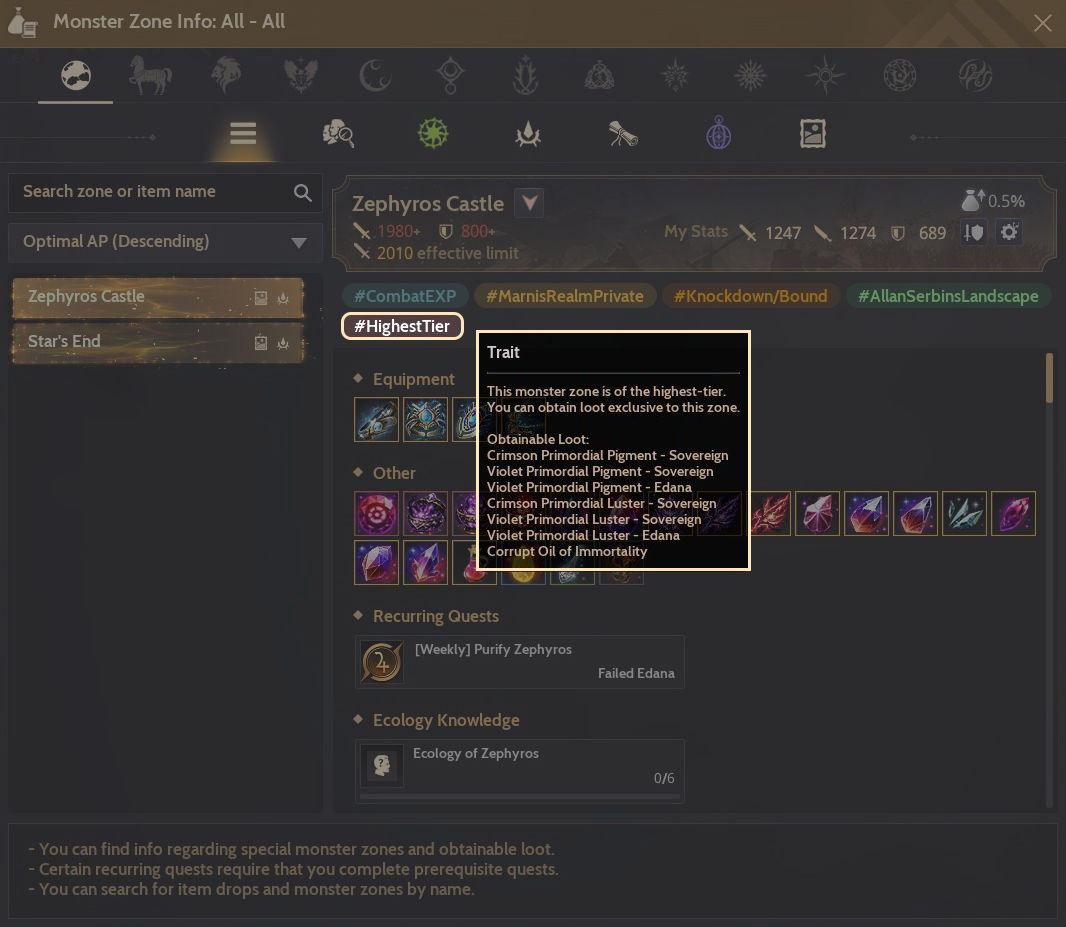
We're adding a new tag "#HighestTier" to certain monster zones intended for our highest-end Adventurers. With this update, Star's End and Zephyros Castle will now be marked with the "#HighestTier" tag.
In #Highest-Tier monster zones, you'll be able to obtain exclusive loot, such as Effect Dyes and Corrupt Oils of Immortality. This will help Adventurers secure higher profits and rare items more consistently.
Please note that monster zones listed under the #HighestTier tag may change in the future if even more challenging zones are added and these exclusive loot items can only be obtained from zones that have the tag.
We hope you enjoy taking on these top-tier zones with the new exclusive rewards.
- Added the #HighestTier tag to the most challenging monster zones currently available, along with exclusive loot obtainable only in those zones.
- New #HighestTier Zones: Star's End, Zephyros Castle
- The following exclusive items can be obtained in #HighestTier zones:
| Exclusive Loot for "#HighestTier" Zones | |
| Sovereign & Edana Effect Dye Materials | Alchemy Materials for Buffs |
 Crimson Primordial Pigment - Sovereign
 Violet Primordial Pigment - Sovereign  Violet Primordial Pigment - Edana  Crimson Primordial Luster - Sovereign
 Violet Primordial Luster - Sovereign
 Violet Primordial Luster - Edana
|
 Corrupt Oil of Immortality
|
- Items used to dye Sovereign weapons and Edana's Defense Gear can be listed on the Central Market.
| Item Name | Min Price | Max Price |
| Crimson Primordial Luster - Sovereign |
100M Silver | 500M Silver |
| Violet Primordial Luster - Sovereign |
100M Silver | 500M Silver |
| Violet Primordial Luster - Edana |
100M Silver | 500M Silver |
| Crimson Primordial Pigment - Sovereign |
10B Silver | 50B Silver |
| Violet Primordial Pigment - Sovereign |
10B Silver | 50B Silver |
| Violet Primordial Pigment - Edana |
10B Silver | 50B Silver |
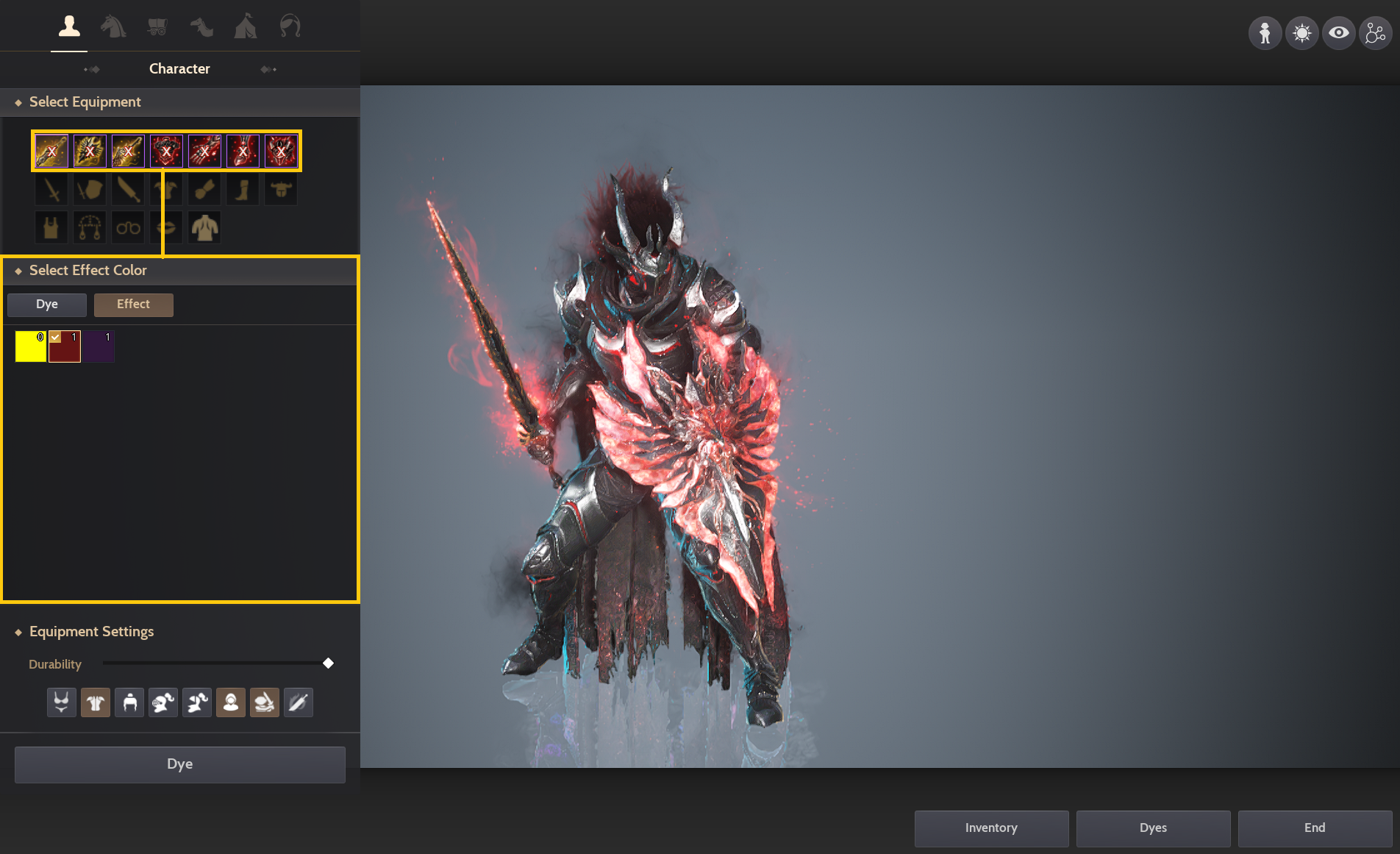
Sovereign Weapon & Edana's Defense Gear Effect Dye
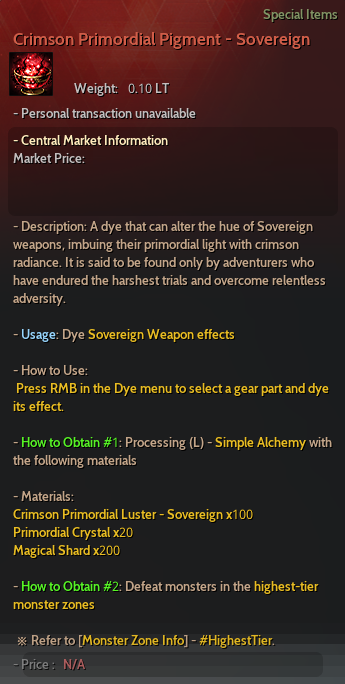
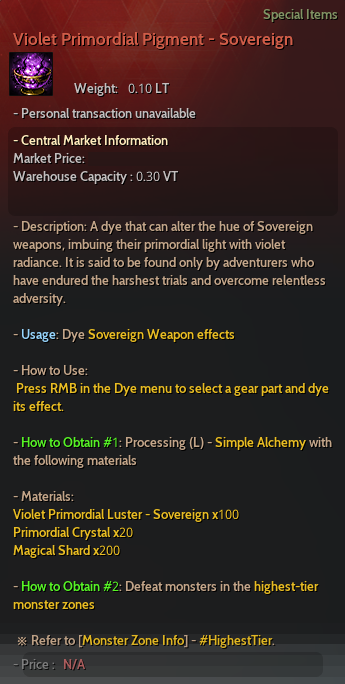
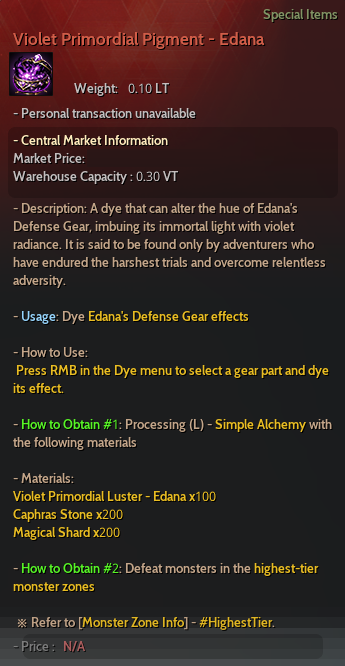
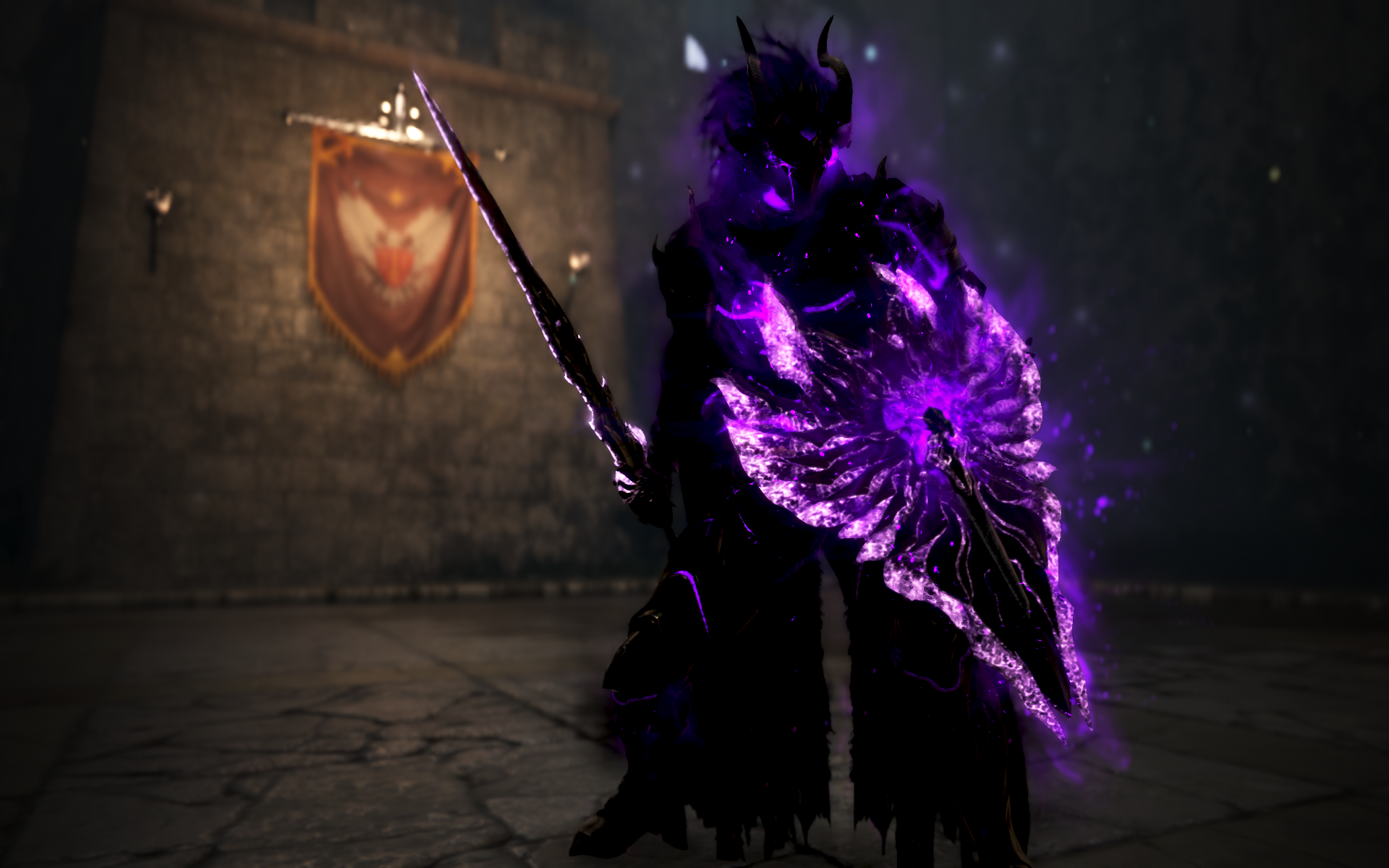
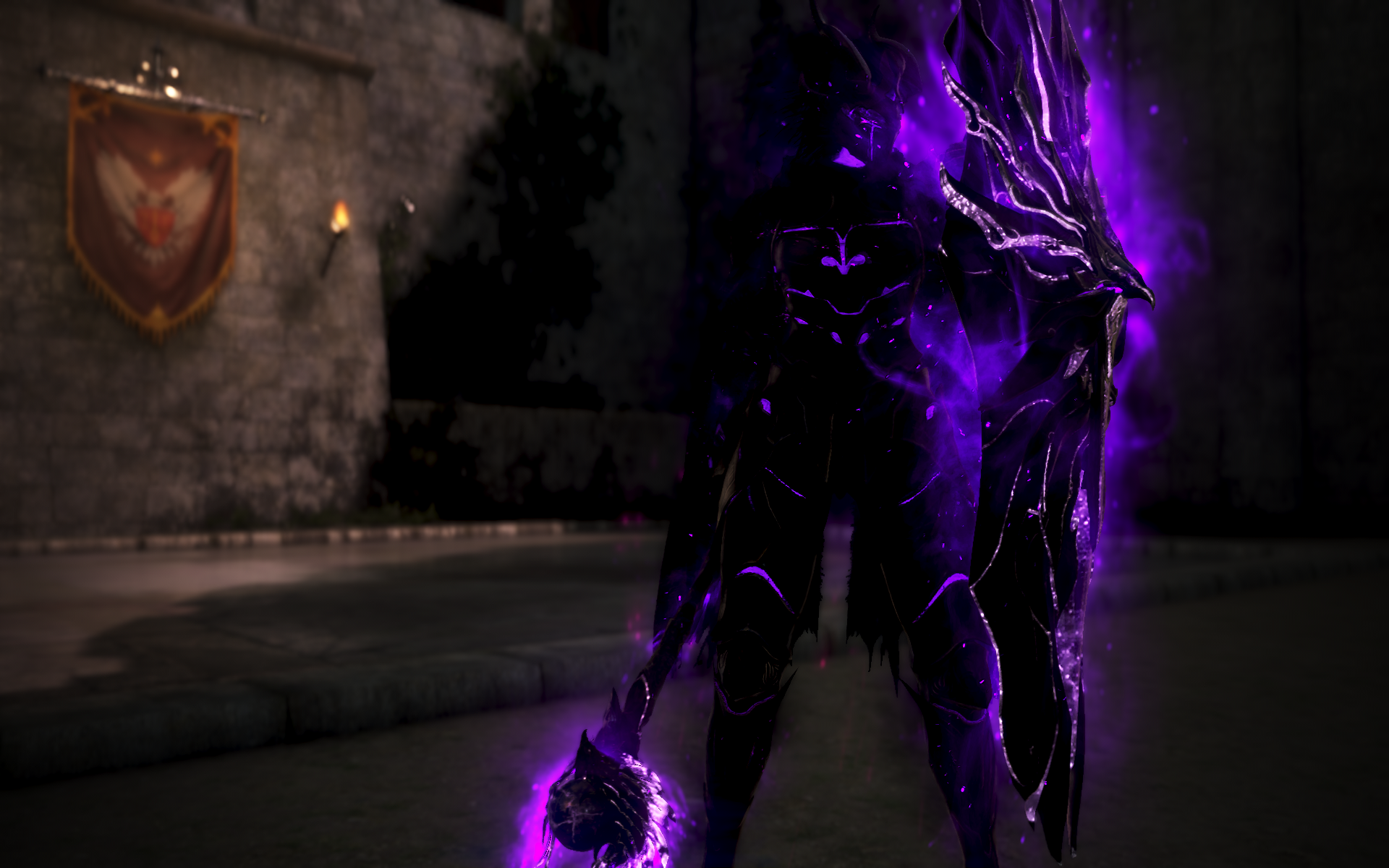
- You can now obtain or craft the following items to dye the effects of Sovereign weapons and Edana's Defense Gear by looting materials from #HighestTier monster zones.
| Crimson Primordial Pigment - Sovereign | Violet Primordial Pigment - Sovereign | Violet Primordial Pigment - Edana |
 |
 |
 |
|
Crafting (Simple Alchemy)
Crimson Primordial Luster - Sovereign x100
Primordial Crystal x20 Magical Shard x200 |
Crafting (Simple Alchemy)
Violet Primordial Luster - Sovereign x100
Primordial Crystal x20 Magical Shard x200 |
Crafting (Simple Alchemy)
Violet Primordial Luster - Edana x100
Caphras Stone x200 Magical Shard x200 |
- Open the Dye (J) menu, select your Sovereign or Edana's Defense Gear, and navigate to the [Effect] tab to dye the effect.
- 1 Pigment is consumed per piece of equipment.
- For Sovereign weapons, the item's appearance color will also change to match the effect color.
- Effects are only visible on PEN (V) or higher. For TET (IV) or lower, only the appearance color will change.
- For Edana's Defense Gear, dyeing the effect does not change the gear's base appearance color. Base colors must be dyed separately.
- When using Item Copy after Tagging characters, Effect Dyes will also be copied.
- However, any dye changes made while Tagged will not be reflected on the linked character.
- Effect Dyes cannot be applied directly to copied equipment.
- e.g., If character A's items are copied to character B, you cannot use effect dyes on character B's equipment.
- To reset effect colors, purchase the following items from an Old Moon Manager NPC:
- Sovereign Weapon Effect Reset Item
 Purifying Pigment - Sovereign (Purchase from the Old Moon Shop for 10,000,000 Silver)
- Edana's Defense Gear Effect Reset Item
 Purifying Pigment - Edana (Purchase from the Old Moon Shop for 10,000,000 Silver)
- Sovereign Weapon Effect Reset Item
※ Effect Dye is retained when using a Weapon Exchange Coupon or Item Copy.
Star's End Remake
Star's End has long been one of the most beloved monster zones. However, as progression speeds increased after Season Graduation, fewer Adventurers were visiting it. So in this update, we've took a nostalgic approach at remaking Star's End, designed as a new endgame option.
The revamped Star's End is a field-style monster zone. Instead of staying in one spot, you'll move through the area and quickly clear monster packs, creating a faster, more active combat flow.
We also kept, and strengthened, Star's End's signature gameplay. The original zone let you destroy objects to knock monsters down, then finish them off while they were disabled. That core concept remains. The chance-based "instant kill" mechanic is still there. Now, when you destroy an object, additional monsters can spawn, letting you keep the momentum as you move from pack to pack. Like Jade Starlight Forest, kills can trigger chain explosions that take out nearby monster groups as well, for a more varied and satisfying combat experience.
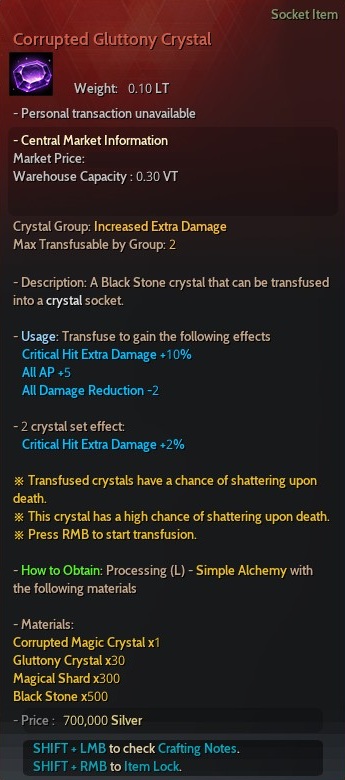
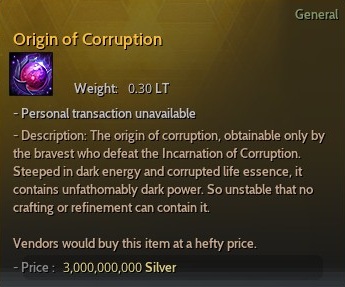
In the updated Star's End, you can obtain Corrupt Oil of Immortality (highest-tier monster zone exclusive loot), Effect Dyes for Sovereign weapons and Edana Defense Gear, Corrupted Gluttony Crystal (upgraded Corrupted Magic Crystal), and, if you defeat the very rare Incarnation of Corruption, you can also obtain Origin of Corruption.
It should feel distinct from Edania's monster zones, giving high-end Adventurers another strong option depending on personal preference. We hope you enjoy the newly revamped Star's End. Thank you.
- The Blackstar energy fallen upon Kabua Mountain has been consumed by a deep, blinding darkness, mutating the Apostles wandering nearby into stronger and more ferocious forms.
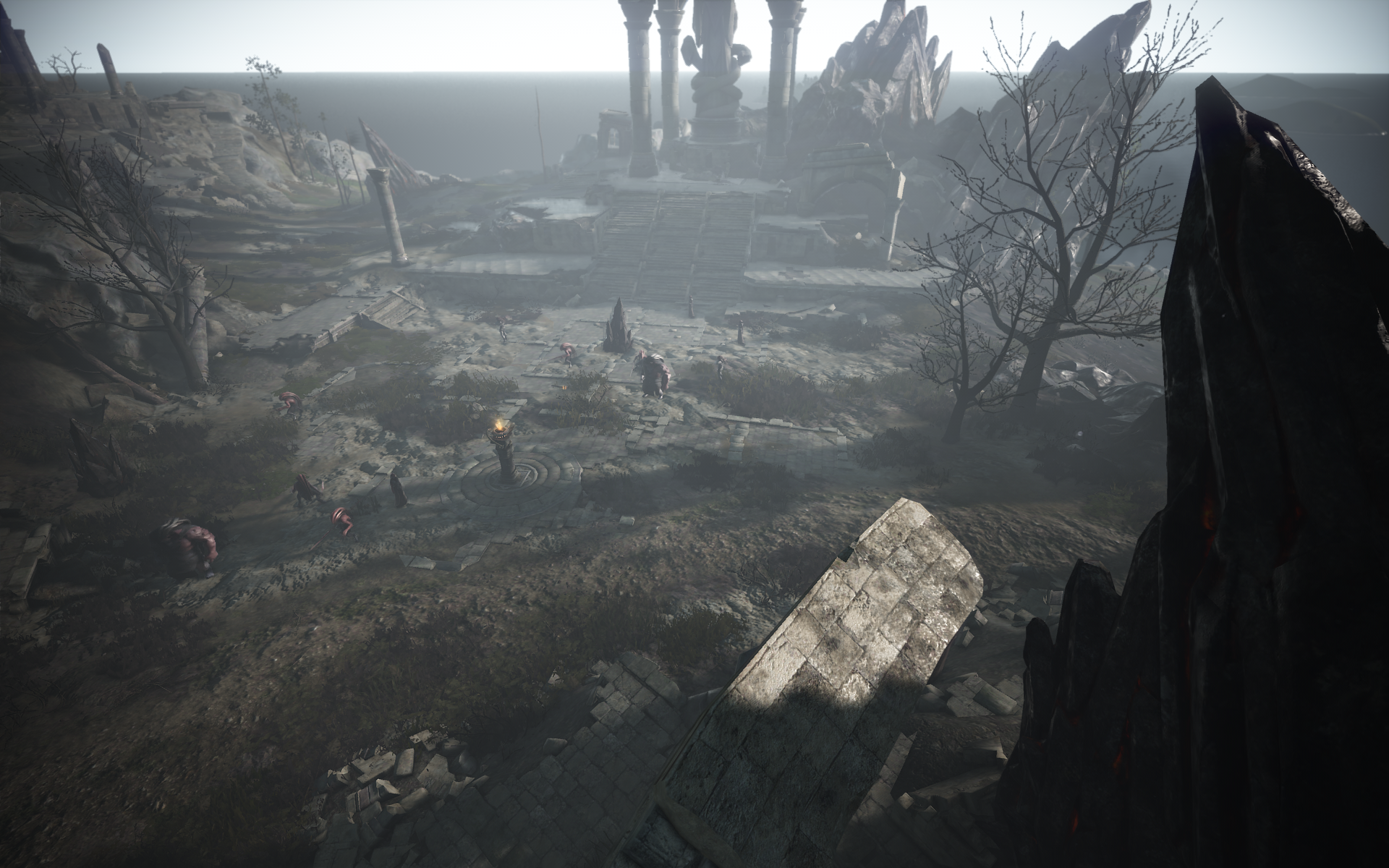
- The Star's End monster zone has been remade.
- The Star's End entry in the Monster Zone Info window has been updated.
|
Star's End
|
||
 |
||
|
Required Stats
Displayed
395 AP / 460 DP Total 1,920 AP / 800 DP (Max AP Limit: 1,950) ※ Allan Serbin's Landscape effects now apply at Star's End. |
Key Loot
 Corrupted Gluttony Crystal
 Gluttony Crystal
 Origin of Corruption
 Black Distortion Earring (up to TRI (III))
 Deboreka Earring (up to TRI (III))
|
#HighestTier Tag Loot
Crimson Primordial Pigment - Sovereign
Violet Primordial Pigment - Sovereign Violet Primordial Pigment - Edana Crimson Primordial Luster - Sovereign
Violet Primordial Luster - Sovereign
Violet Primordial Luster - Edana
|
|
Junk Loot
 Corrupted Sanguine Crystal (Sale Price: 155,000 Silver)
|
||
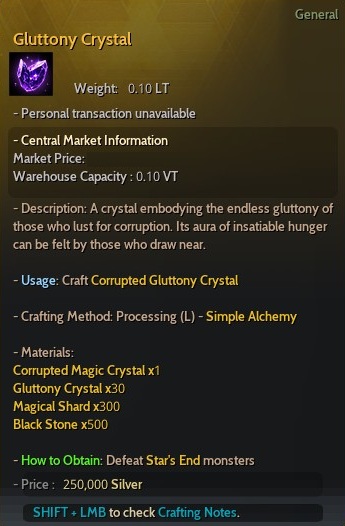
- You can now obtain the new Corrupted Gluttony Crystal from Star's End.
- The Corrupted Gluttony Crystal or its crafting material, the Gluttony Crystal, will drop at a set probability.
 Corrupted Gluttony Crystal
|
Gluttony Crystal
|
| Item Description | Item Description |
 |
 |
|
Market Price (Min): 300,000,000 Silver
Market Price (Max): 3,000,000,000 Silver |
Market Price (Min): 12,500,000 Silver
Market Price (Max): 50,000,000 Silver |
※ The Origin of Corruption can be sold to NPC Shops for 3,000,000,000 Silver.
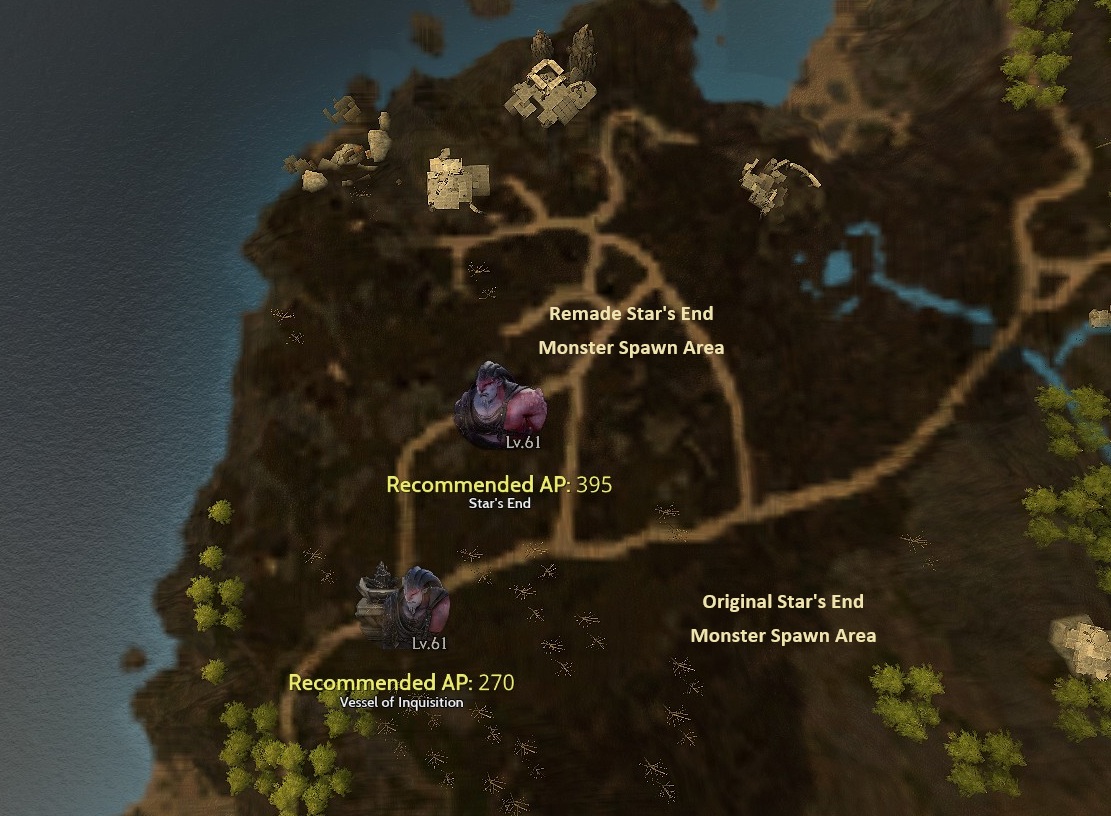
- Star's End now features new and existing monsters placed in separate areas.
- To ensure Calpheon quests can still be completed, original Star's End monsters will continue to spawn in specific locations.
- Increased the size of Marni's Realm (private monster zone) at Star's End by 20%.
- Added the Vessel of Inquisition to the Monster Zone Info UI.
- The Vessel of Inquisition can now also be located via the World Map.
- Updated the navigation for the following quests that require defeating original Star's End monsters:
- [Repeat] Stenchful Frontline
- [Star's End] Shadow that Looms Star's End
- Hero Rivalry III
- Soldier Leon IV
- Their Identity
- Another Being
- [Repeat] Those Who Are Unwilling to Talk...
- For Their Safety
- Still Cannot Trust You
- [Repeat] Prove Your Strength
- Lazy
- Situation at Star's End
- [Star's End] The Sound of the Lord of Star's End
- Removed the World Boss Sangoon's specific attack pattern that activated at 20% HP.
- Updated the navigation for Gyfin Rhasia Temple (Underground) via Monster Zone Info and World Map icons to lead to the zone entrance.
- Updated the navigation for Jade Starlight Forest via Monster Zone Info and World Map icons to lead to the zone entrance next to the Weekly Quest NPC.
- Added the #MarnisRealmPrivate tag to the Orzekea in Monster Zone Info.
- Added the #HighestTier tag to the Zephyros Castle in Monster Zone Info.
MOUNT
In the last update, we added a function that lets you store and retrieve all horses in Krogdalo's Sanctuary. However, aside from Mythical Dream Horses, it was hard to tell where other horses would appear, and their summons had no visual effects, making it feel a bit awkward.To improve this, we've added new summon visual effects for cases where a non-Mythical Horse is summoned from Krogdalo's Sanctuary.
- Improved the summoning effects for Arduanatt, Diné, Doom, Krogdalo, Voltarion, and standard horses from Krogdalo's Sanctuary.
| Summoning Effect Improvements | |
|
Standard Horse
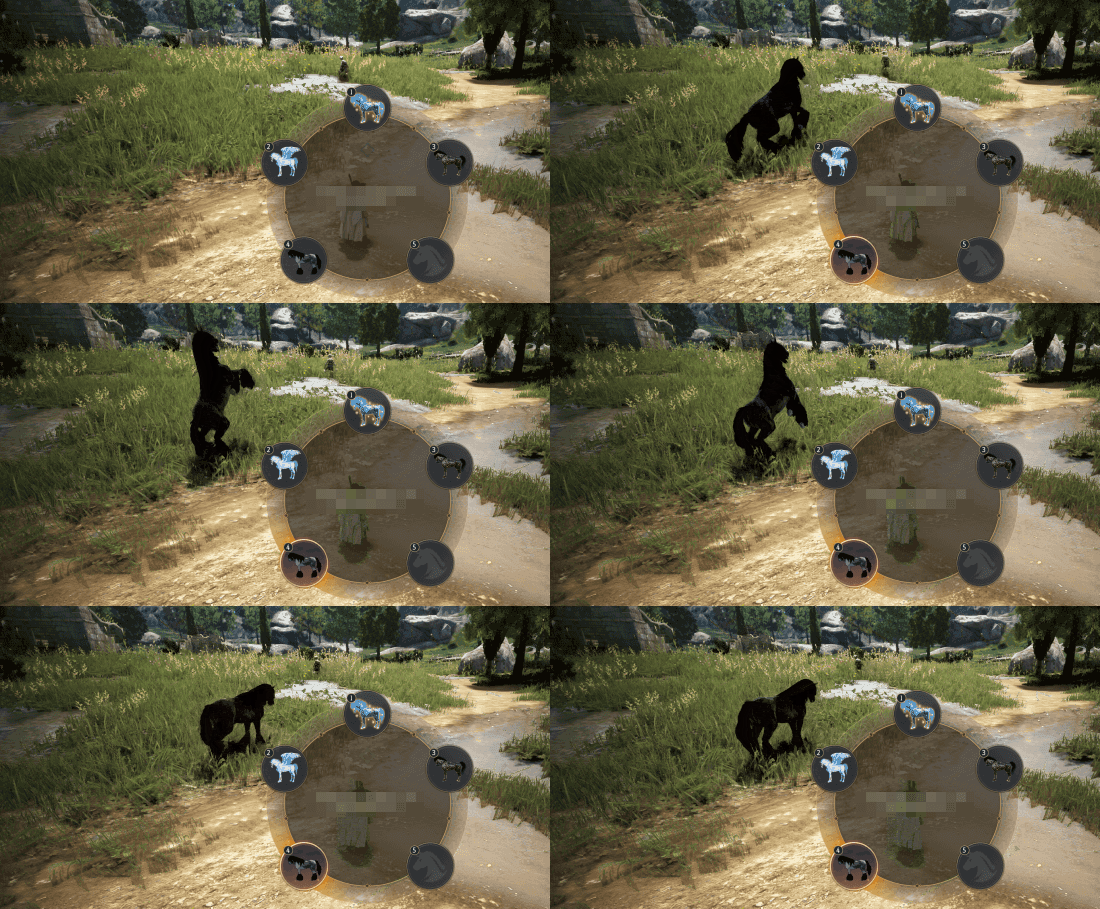 |
Dream Horse
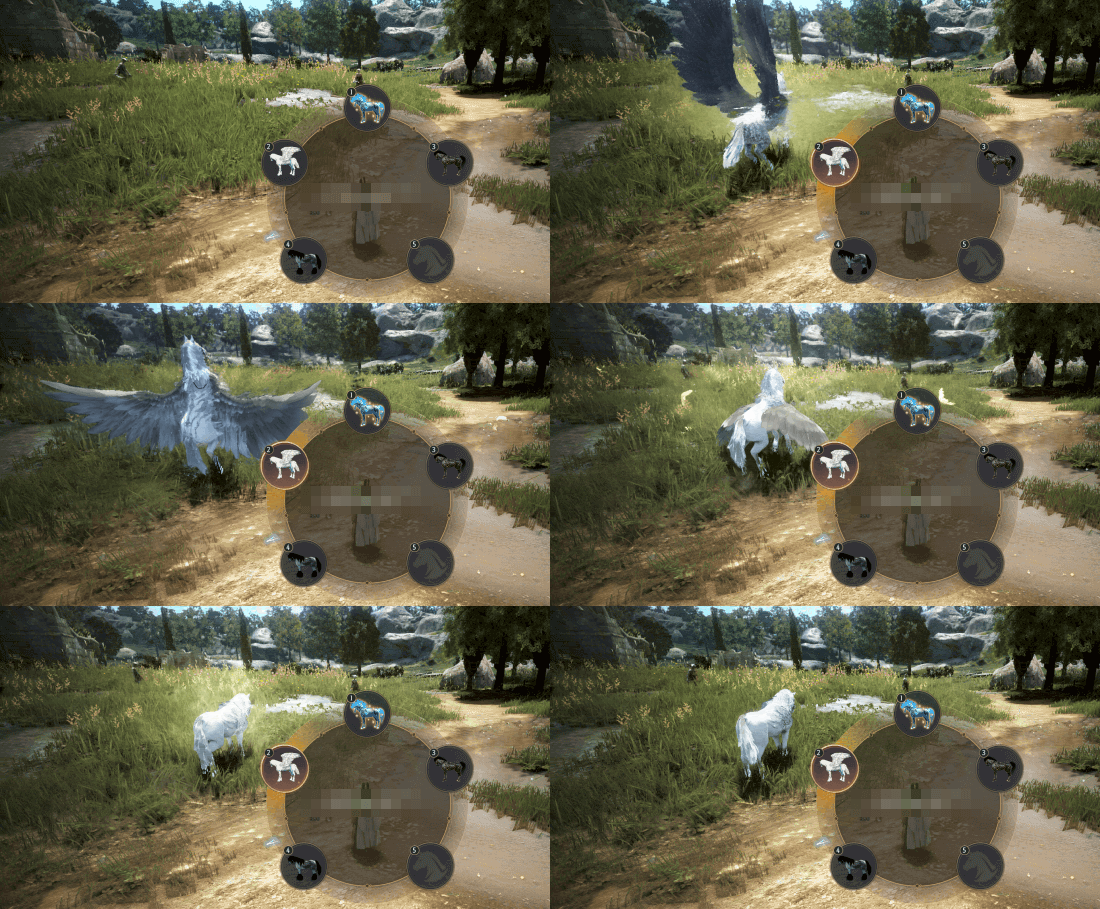 |
|
Krogdalo
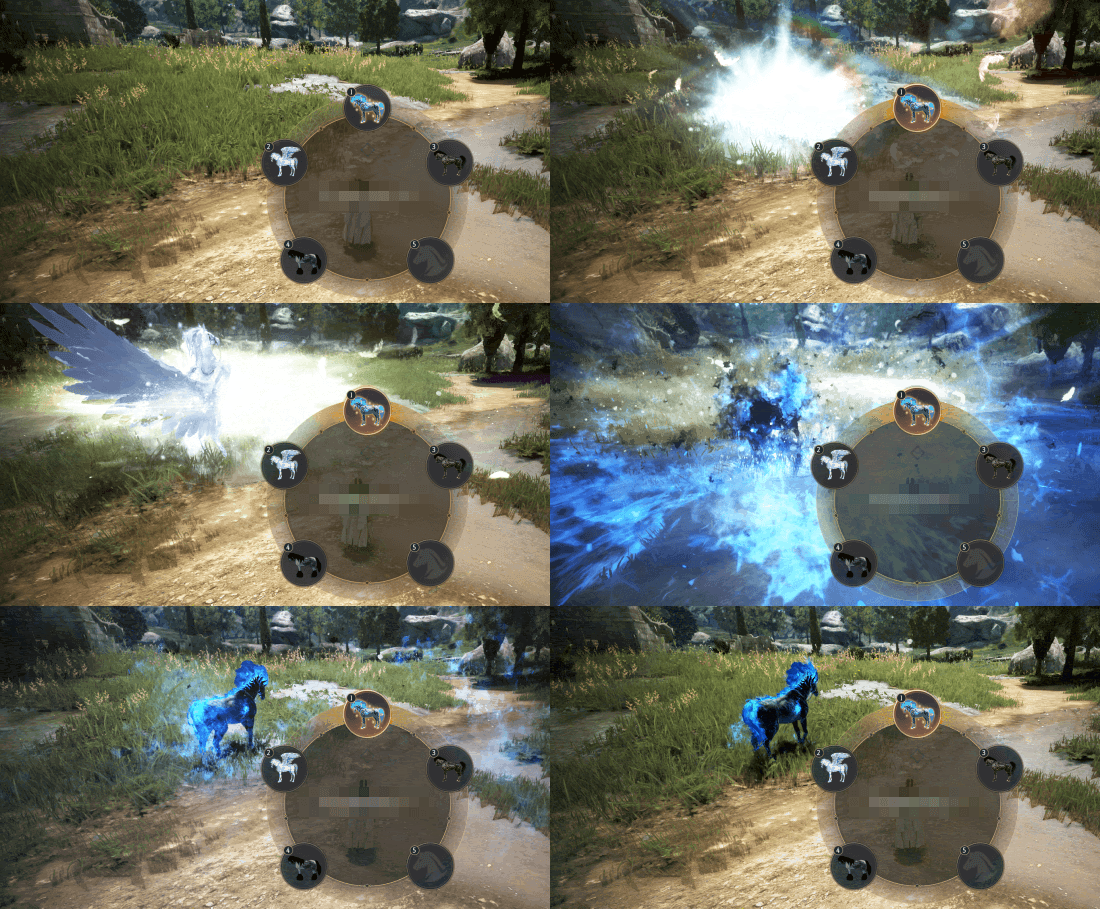 |
Voltarion
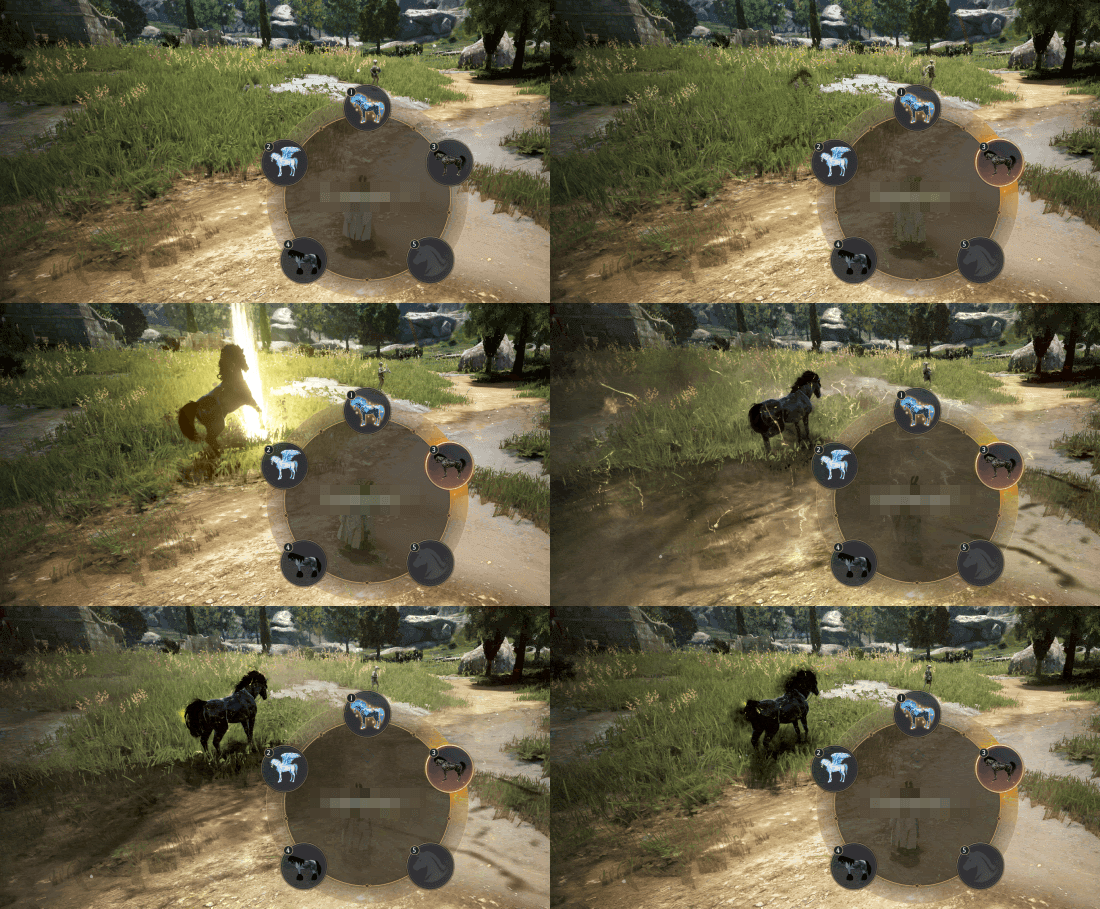 |
QUEST & KNOWLEDGE
Share Quest Info
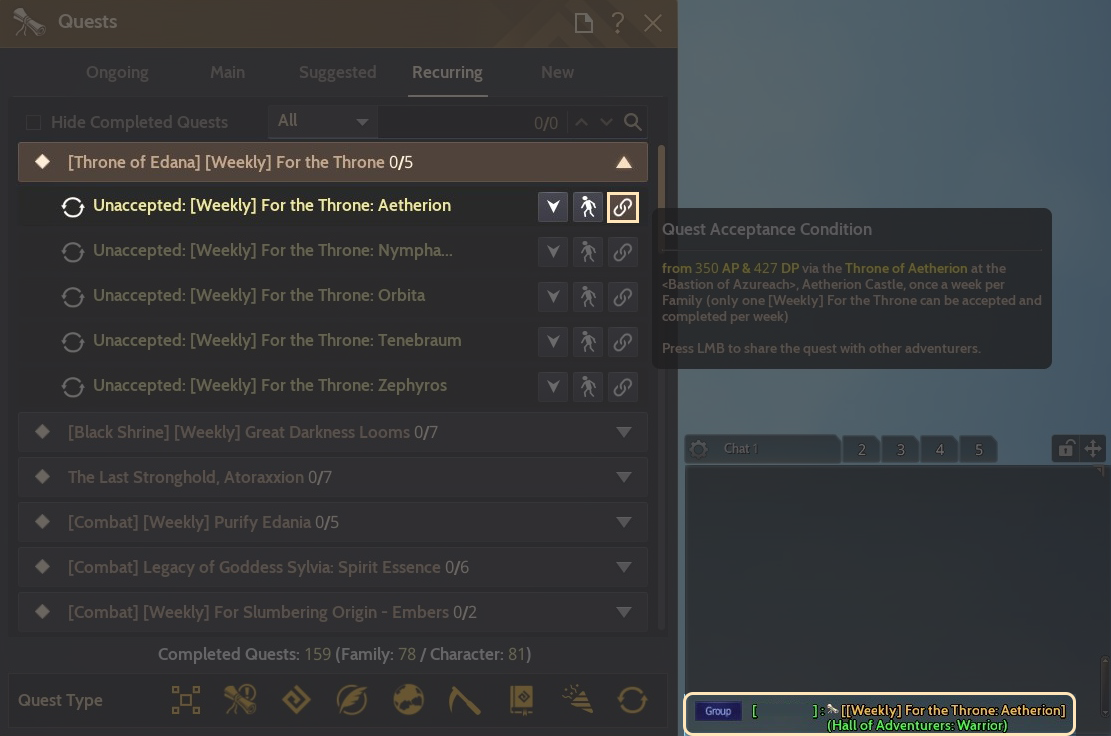
A new Share Quest Info feature has been added, allowing you to share quest details quickly and accurately.Previously, if you got stuck or ran into a difficult step, you had to explain everything through Chat, which could be inconvenient. With Share Quest Info, we hope it'll be easier to give and receive help while progressing through quests.
- Added a new feature to the Quests (O) window that lets you share quest details with other Adventurers.
- In the Quests (O) window, press the chain icon to the right of the quest list to share that quest's info in the Chat window.
- Press the shared quest in Chat to view its Quest Summary.
- Added a new quest to receive a special gift from Justin Bartali upon completing "[Adventure Log] 11 Years of Adventures."
| Quest | Requirement | Quest NPC |
| [Olvia Project] Found Them All | Complete [Adventure Log] 11 Years of Adventures | Justin Bartali |
- Changed the following category name under Knowledge - Adventure Log:
- Before: Eastern Balenos Logs
- After: Balenos Logs
- Updated the quest target navigation for the following:
- [Gathering] Medical Botany
- [Gathering] Lacy Hates Hides
- Changed the location of the tomb required for the following Morning Light (Stone Statue) quests:
- A New Encounter
- A Father's Love for His Child
- Changed so that the quest “Knowledge is Energy,” available from Gray Biants, no longer appears while Olvia Academy is in progress.
WEB
- Applied the following updates to the Account Information page on the official website:
- Email addresses displayed on the Account Information page are now partially masked for privacy.
- You will now be prompted to re-enter your password once when accessing Account Details, Linked Accounts, or the Security Center (OTP Settings).
- [Black Desert+] Fixed the issue where blank space would sometimes appear when navigating to top categories on the Community (Forum) page.
TRANSLATION
- Changed and unified the following in Turkish:
- Social Action
- Doğru Cevap "O" → Cevap "O"
- Doğru Cevap "X" → Cevap "X"
CHANGES & FIXES
- Fixed the issue where the guide speech bubble was truncated during the quest "Shoot and Help."
- Fixed the issue where skipping the cutscene under certain conditions during the quest "[LoML] Defeat" would incorrectly teleport the Adventurer to The Magnus.
- Updated the Old Moon Camping Shop's inventory to match the Naphart Campsite Shop.
- Fixed the issue where defense towers could not be constructed properly by sub-guilds within an alliance during Conquest Wars.
- Fixed the issue where the HP of Gumiho (Calamity 8-10) in Black Shrine - Donghae (Solo) was reduced by an additional 5% beyond the intended amount following the Jan 8 updates.
- Fixed the issue where the system message "My Attendant has been summoned" was displayed repeatedly.
- Fixed a client crash that occurred when opening the Skill Window (K) inside The Magnus.
- Fixed the issue where harnessed horses were not visible when checking harnessed horse info at the Stable.
- Improved the item description for the Old Moon Camping Shop for better clarity.
- Fixed the issue where the background color was not applied to the language selection box on the Web Central Market (PC).
- [Gamepad Mode] Fixed the issue where Adventurers could not enter the Guild Boss Expedition Region.
- [Gamepad Mode] Fixed the issue where an unnecessary X button appeared in the Black Stone selection window in the Enhancement Chance UI.
- [Gamepad Mode] Fixed the issue where items with truncated text in the [Season] Fughar's Special Season Gift window could not be selected.
- [Gamepad Mode] Fixed the unnatural button alignment on the retry window after mounting a snowboard.
- [Gamepad Mode] Fixed awkward UI snapping when pressing the View Info key in the Snowfall Crasher window.
- [Gamepad Mode] Fixed the issue where the "My Dyes" tab was automatically selected when navigating with LB/RB while no mounts, campsites, or Attendants were summoned.
- Added 2 new options to the [Wukong] Choose Your Premium Outfit Box:
- [Wukong] Kibelius Divinus Premium Set, [Wukong] Kibelius Premium Set
- Fixed the issue where the Point of Interest UI for nearby NPCs would remain visible when opening the Dye window.
- Fixed the issue where high-market value Tier 7 Wild Horses with high breeding counts would learn skills at a 100% rate during growth.
- Added "How to Use" instructions to the item descriptions for Paste Bait, High-quality Paste Bait, and Fresh Paste Bait.
- Updated the design of certain props inside Justin Bartali's room at Olvia Academy.
- Extended the area where the NPC's name is displayed in the conversation screen.
- Fixed the issue where hovering over the Equipment Settings icons at the bottom of the Dye window would also display a square icon.
- Changed the respawn location when reviving in town at Terrmian Cliff to respawn next to the Stable Keeper in Olvia, instead of inside Olvia Academy.
- Fixed an incorrect description stating that the event item "[Event] [Guild] Afuaru's Mystical Treasure Chest Summon Scroll" would be deleted after a certain period.
- Fixed the issue where the following items were not displayed: [Event] Academy Donation Ticket and [Event] Academy Donation Certificate obtained via exchange using the [Event] Academy Donation Ticket.
- To resolve this issue, any [Event] Academy Donation Tickets and [Event] Donation Certificates you had in possession have been sent to your Heidel storage.
- Fixed the issue where the background color was not applied correctly in the Item Drop Log window when obtaining items through quests.


Thank you.
-
 [Update] January 29, 2026 (Thu) Update Details Guild content & Olvia Academy improvements, and more Jan 29, 2026 (UTC+3)
 -
 [Update] [Black Desert+] January 22 (Thu) Update Details Jan 22, 2026 (UTC+3)
 -
 [Update] January 15, 2026 (Thu) Update Details Revamped Alchemy Stones, [Dehkia's Lantern] New Monster Zones and more Jan 15, 2026 (UTC+3)
 -
 [Update] January 8, 2026 (Thu) Update Details [Seraph] Rabam skills, Guild Boss improvements, and more Jan 8, 2026 (UTC+3)
Recent Posts
- [Notice] Account Restriction Due to Operation Policy Violation Jun 26, 2026 (UTC+3)
- [GM Note] Progression Milestones at a Glance, Step-by-Step Gear Guide Jun 26, 2026 (UTC+3)
- [Notice] [Known Issues II] Jun 26, 2026 (UTC+3)
- [Notice] [Completed] June 26 (Fri) Central Market Maintenance Jun 26, 2026 (UTC+3)